Product overview for doctors, clinic owners, and medical centers
One connected system for appointments, visits, patient memory, AI support, operations, and specialty setup.
Avicenna Clinic System is built around the real clinic day: search the patient, book or start the visit, document the case, generate doctor-reviewed AI support, print what matters, and return later to a complete patient story.
Doctor speedOne workspace for diagnosis, history, examination, labs, prescription, uploads, speech, AI, and save actions.Patient memoryProblem list, allergies, chronic medications, timeline, uploaded files, AI history, and visit summaries stay connected.Clinic controlAppointments, queue, waitlist, reminders, finance, branches, doctors, permissions, backup, audit, and setup tools.
Feature map
The platform is not one screen. It is a complete clinic workflow.
This brochure covers the full product surface so a doctor can understand what is already included before seeing the live demo.
Assistant workflowPatient search, Arabic-friendly matching, new patient registration, appointment booking, day schedule, and queue handoff.Doctor visitClinical core, structured questions, prescription, uploads, QR mobile upload, speech dictation, AI actions, and print summary.Patient profileFull clinical story, sections, counters, problem list, background, uploads, AI drafts, timeline, print/share, and navigation.AI assistantMulti-provider setup, full-case drafts, external export/import, image readiness, safety labels, confidence notes, and doctor review.OperationsCalendar, today queue, waitlist, reminders, finance, doctor profiles, branch settings, booking rules, and bulk reschedule.Admin and setupRoles, membership, audit, backup, demo data, specialty workflows, starter packs, visit configuration, and clinic branding.
Assistant workflow
Front desk work starts with search, not duplicate patient creation.
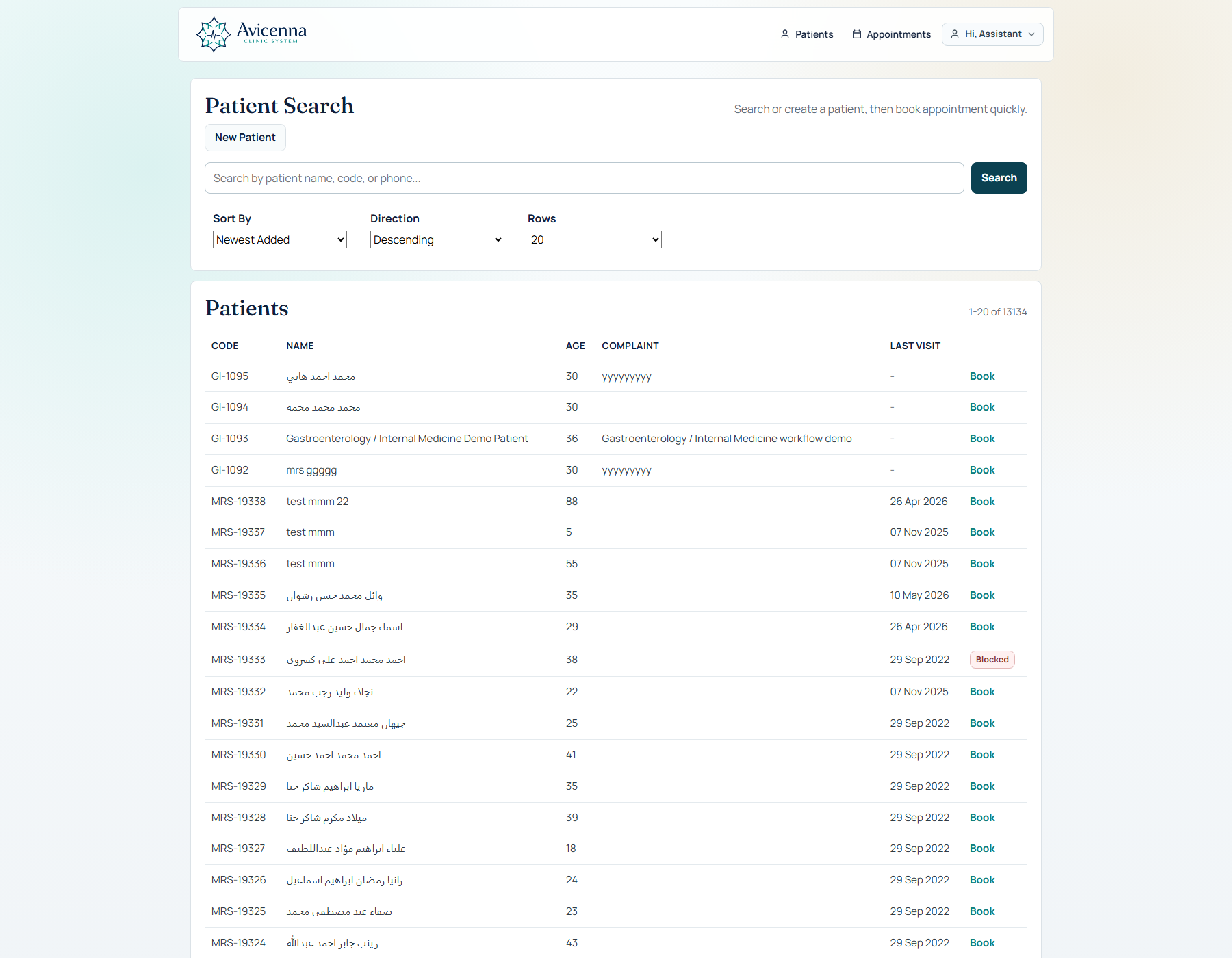
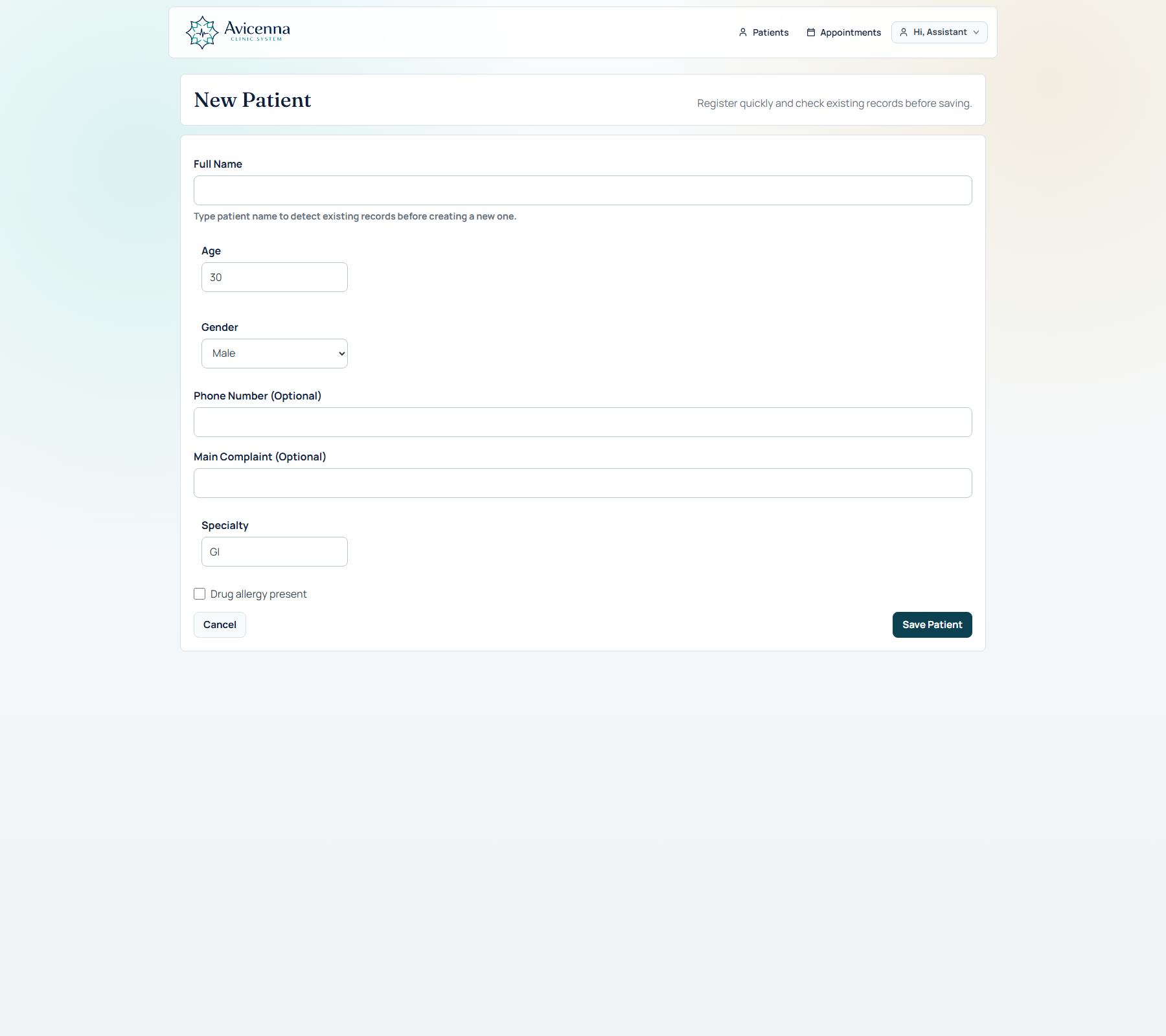
The assistant can search by name, code, or phone, detect existing patients, add a new patient only when needed, and book appointments without forcing unnecessary fields.
Patient search with paging, sorting, Arabic-name friendly matching, booking action, and patient flags.Fast patient registration with duplicate awareness and optional phone/main complaint when the clinic needs speed.
Appointments and queue
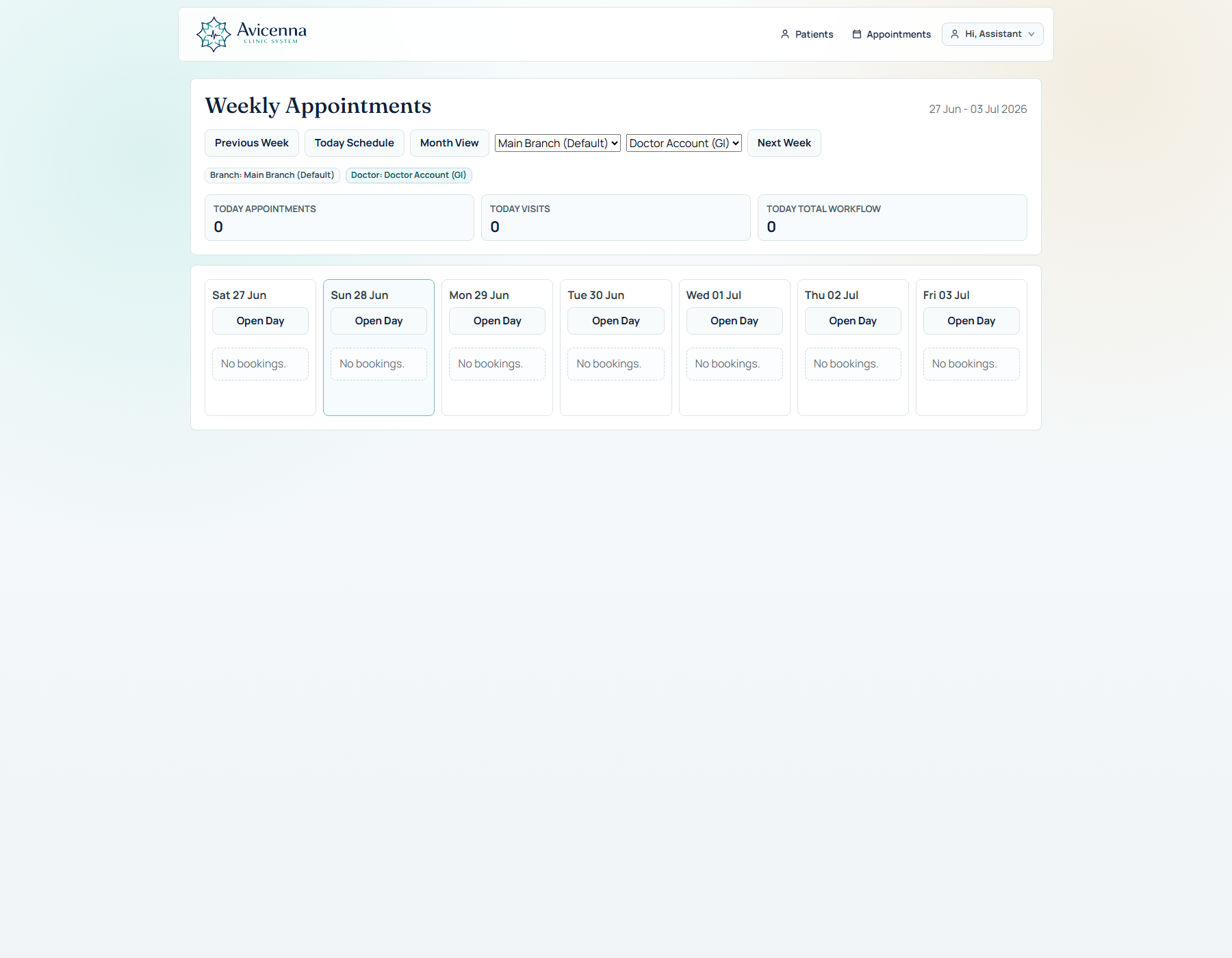
The clinic day is visible from queue, day schedule, week view, and calendar operations.
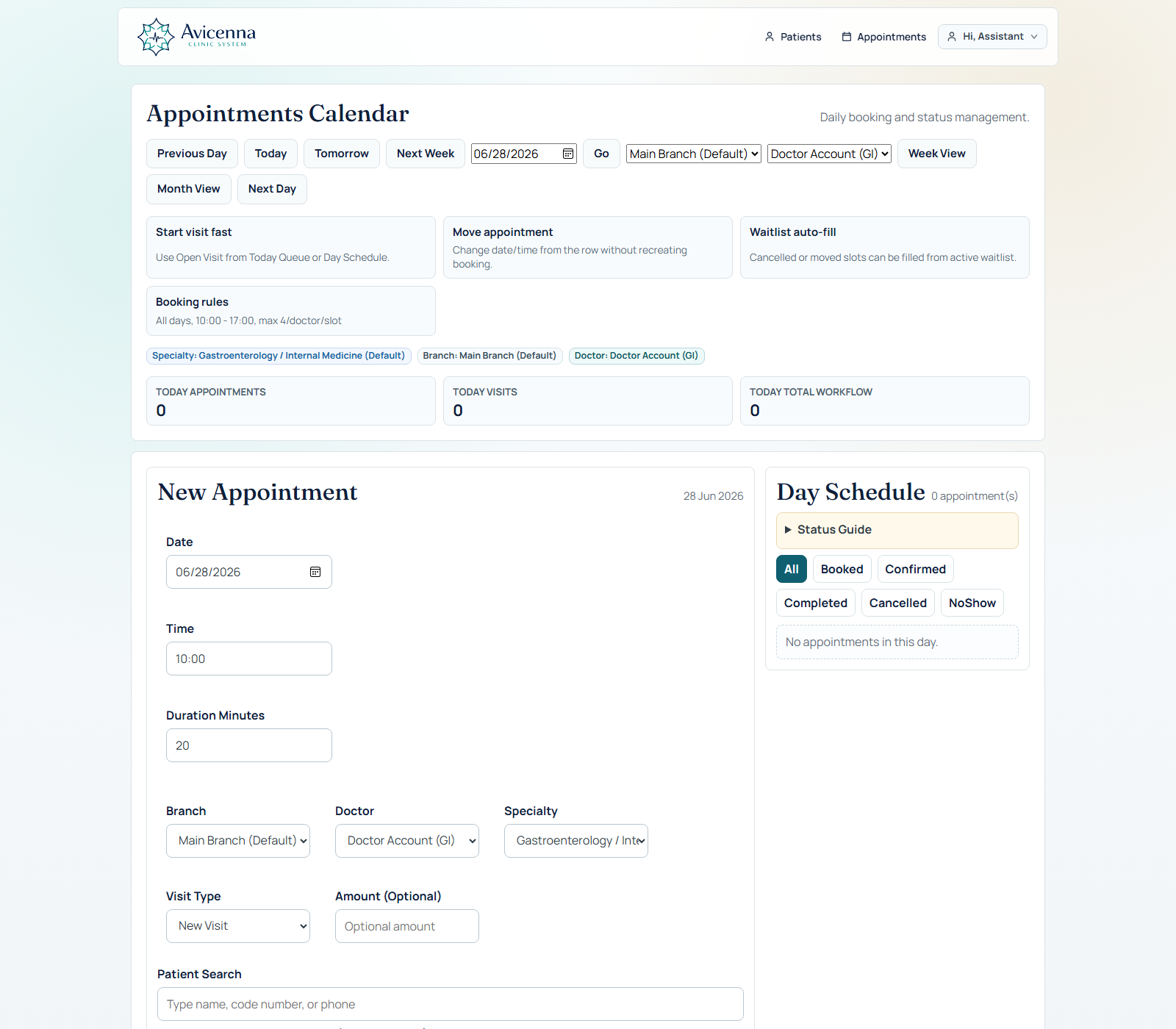
Appointments support visit type, expected amount, doctor, branch, specialty, booking rules, status changes, and a direct open-visit handoff for the doctor.
Day queue and booking screen with appointment context, status filtering, and open visit action.Weekly view with drag/drop movement, bulk travel shift, waitlist support, and day load visibility.
Visit workspace
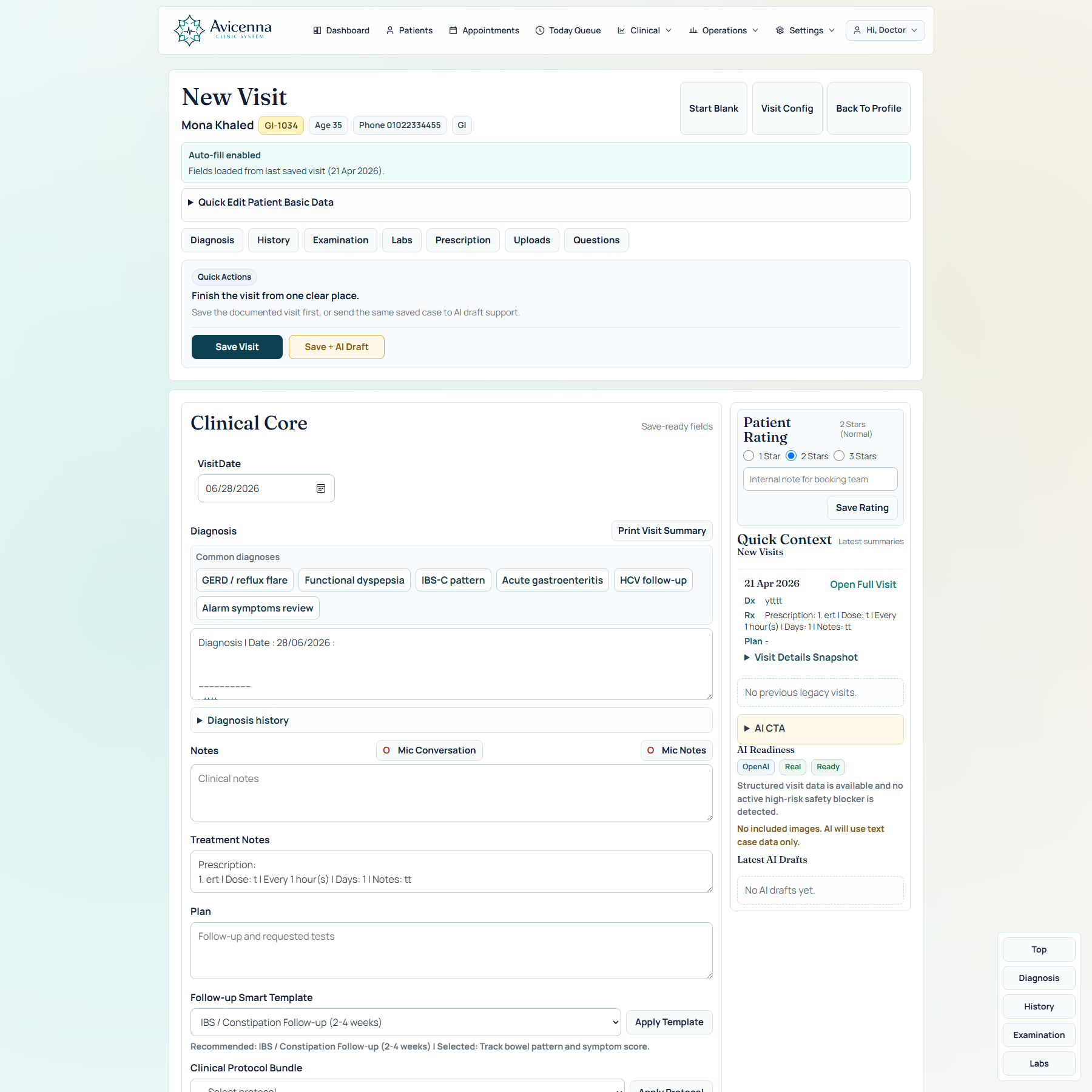
New Visit is the heart of the product.
This is where the doctor feels the value. The screen is dynamic, configurable, specialty-aware, and designed so diagnosis, questions, prescription, speech, uploads, AI, follow-up, protocols, and patient context stay inside one visit flow.
New Visit workspace with dynamic tabs, configurable questions, quick actions, side context, patient rating, speech, uploads, protocol helpers, and AI readiness.
New Visit dynamic engine
The doctor can control what appears without rebuilding the system.
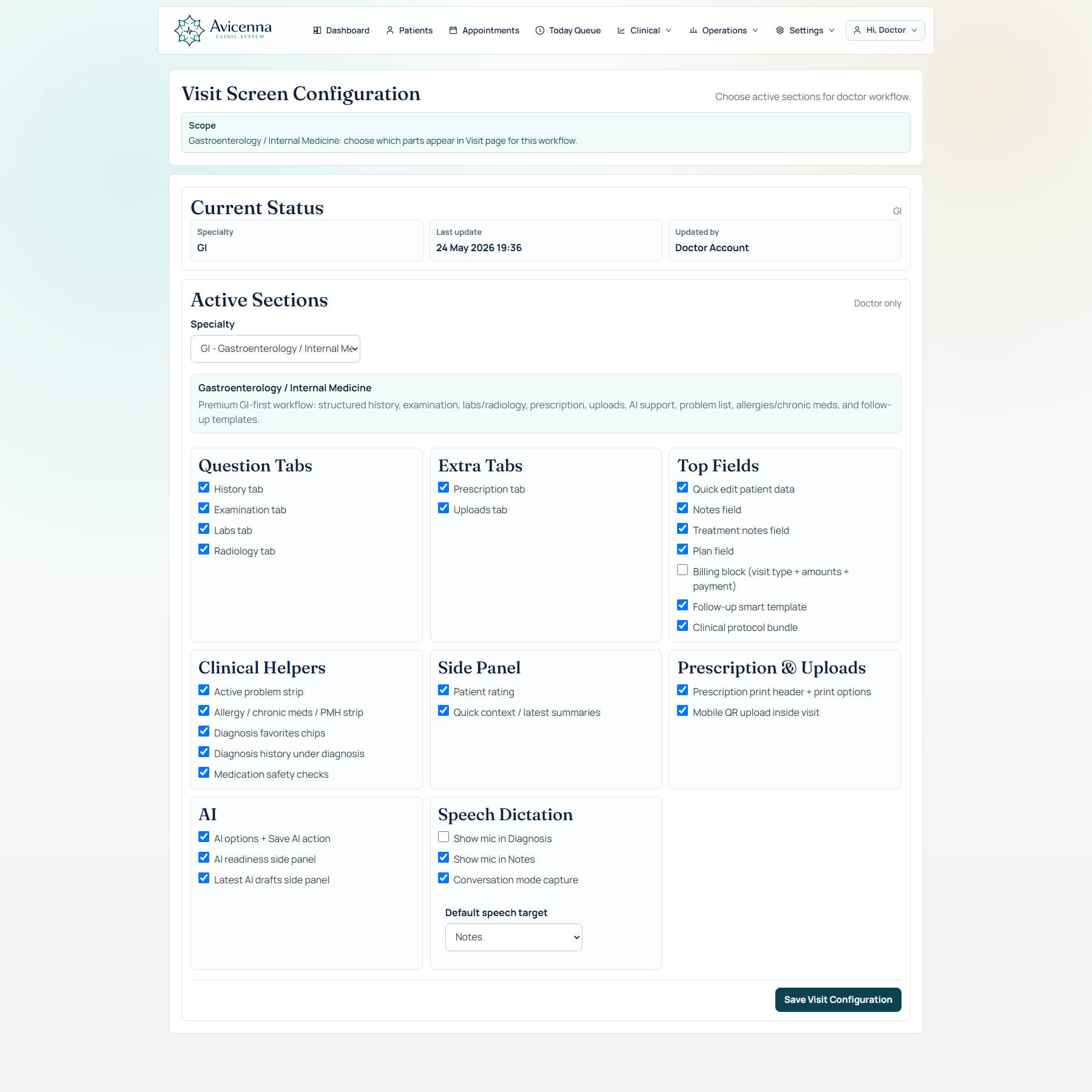
Avicenna Clinic is not a fixed form. The visit screen can change by specialty, clinic preference, doctor workflow, and active configuration.
Dynamic tabsHistory, examination, labs, radiology, prescription, uploads, and questions can be enabled, hidden, or arranged around the active specialty workflow.Dynamic questionsQuestion sets are managed from configuration, with active/required controls, ordering, search, options, values, and multiple input types.Dynamic prescriptionDrug catalog, autocomplete, favorite drugs, prescription templates, dose, interval, food timing, days, notes, and print options are all managed.Dynamic follow-upFollow-up smart templates can be configured and applied to the plan so the doctor can standardize routine, urgent, liver-focused, or symptom-specific follow-up.Dynamic protocolsClinical protocol bundles can guide plan text, missing data, and AI hints without forcing the doctor to accept anything automatically.Dynamic AI controlsAI provider, runtime mode, image inclusion, safety review, confidence labels, external import, and full-case recommendation are controlled from settings and the visit.
Visit features
The visit screen is designed to save time, not create another data-entry burden.
Navigation shortcuts, quick actions, side context, and save/AI actions keep the doctor moving. The page can be deep when needed, but still feels controlled.
Clinical coreVisit date, diagnosis with dated header, notes, treatment notes, plan, print visit summary, and save-ready validation.Visit navigationJump quickly to diagnosis, history, examination, labs, prescription, uploads, or questions instead of scrolling blindly.Quick actionsClear save actions separate normal saving from save plus AI draft, so the doctor knows exactly what will happen.Speech supportMic notes and conversation capture can feed clinical notes, with provider settings, language options, and speaker mapping.Quick contextLatest summaries, previous visit highlights, AI readiness, latest AI drafts, and side context stay visible near the doctor.Patient trackingPatient rating, internal booking note, problem strip, allergies, chronic medications, PMH, and safety cues stay connected to the visit.
Patient profile
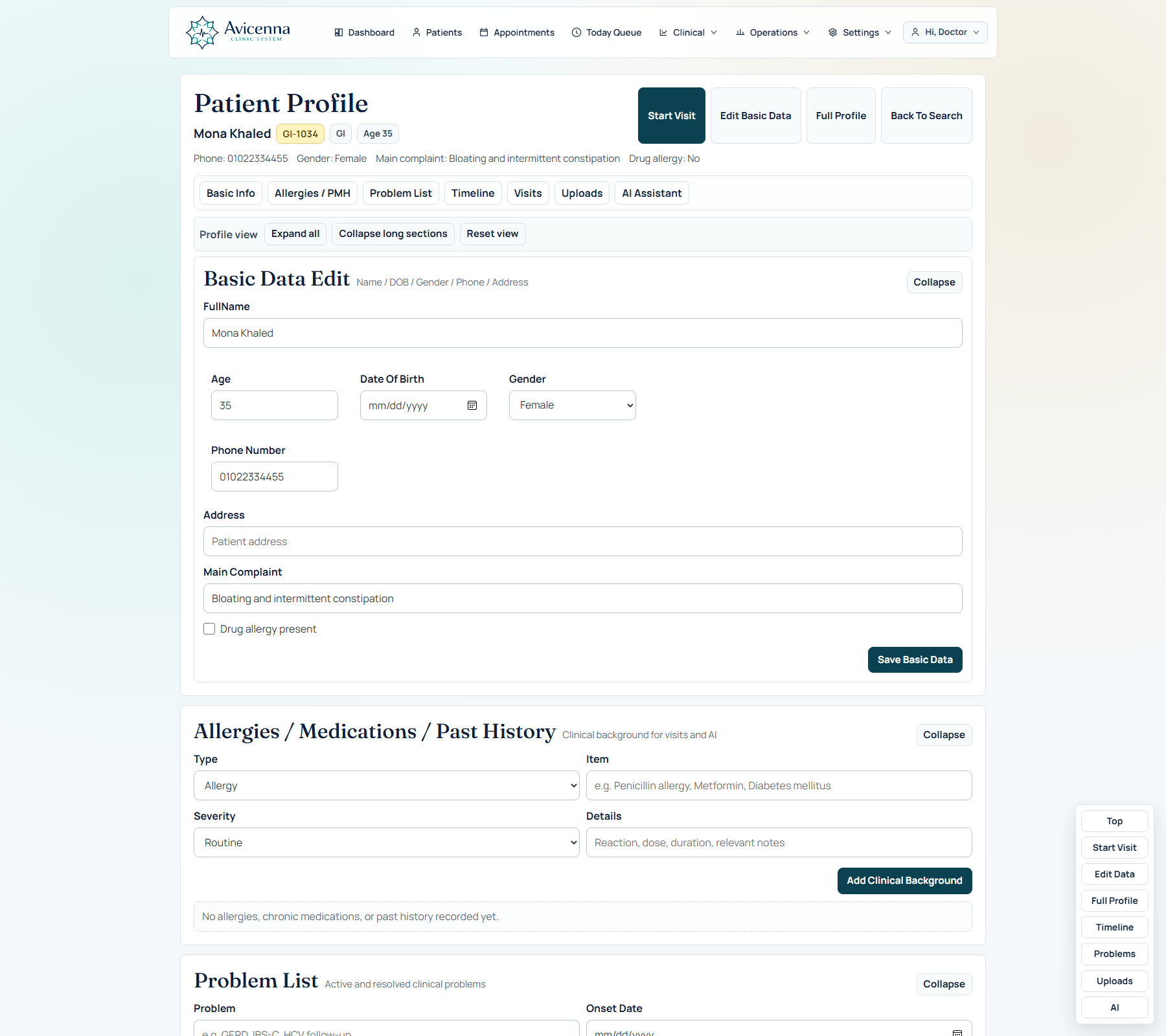
The patient profile is the long-term clinical memory layer.
It is designed to answer one question quickly: what matters about this patient before, during, and after the visit?
Patient profile with basic data, counters, problem list, background, timeline, uploads, AI history, and print/share controls.
Patient profile details
The profile is organized for review, not just storage.
Doctors can move through the patient story by section and print or share selected clinical content without exposing unnecessary controls.
Basic dataEditable name, age, phone, gender, address, specialty, allergy flag, patient code, and booking note/rating context.Problem listActive/resolved problems, severity, tags, links to visits, and follow-up relevance.BackgroundAllergies, chronic medications, past medical history, and clinical background items.TimelineVisits, legacy highlights, AI drafts, uploads, problems, safety signals, and filtered clinical events in one story.UploadsImage thumbnails, full preview, category, visit date, AI inclusion, and continuity across visit/profile views.Print/shareSelected sections, clinic branding, clean printed layout, and patient-facing summary options.
AI assistant
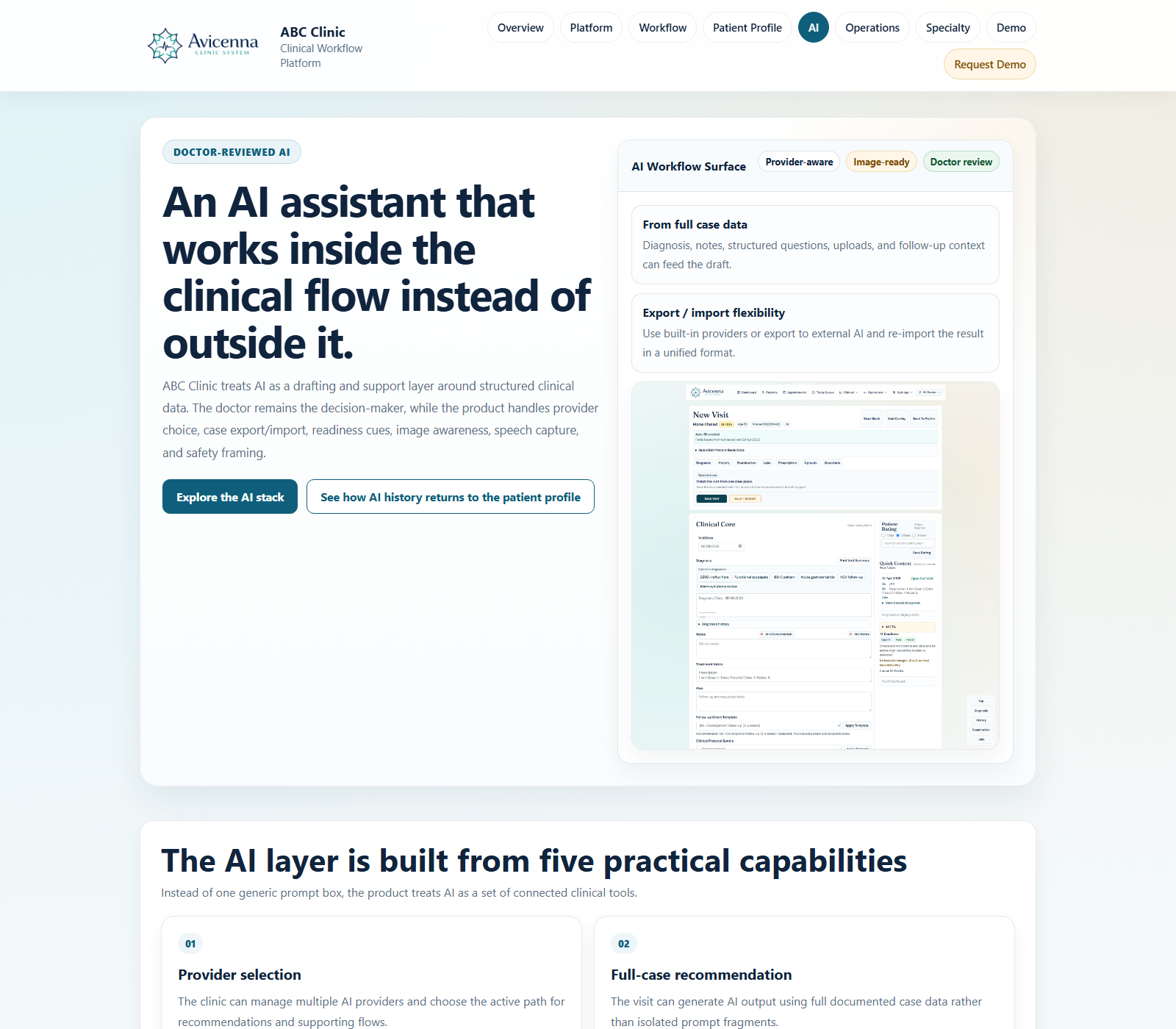
AI support is structured, reviewable, and controlled by the doctor.
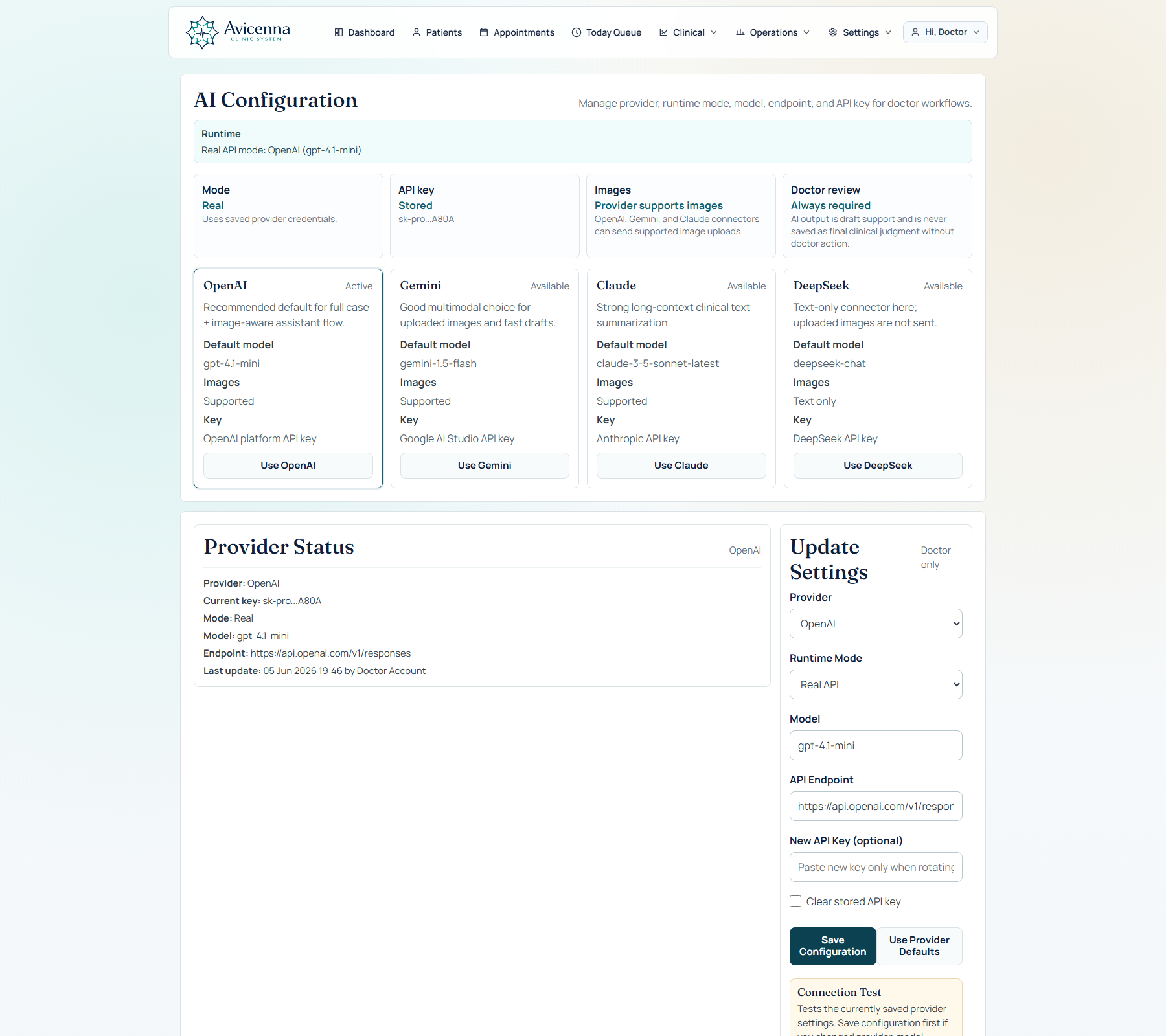
The AI layer can draft from full case data, use configured providers, preserve AI history, import external results, and show readiness and safety signals before saving anything as useful clinical support.
Provider selection, real/mock mode, API settings, speech provider, language, and conversation speaker mapping.AI feature positioning: full-case draft, external import, image readiness, confidence notes, and doctor review.
AI feature coverage
The system supports API AI and external AI workflows.
This gives clinics flexibility: use an integrated provider when available, or export a clean case prompt and import a structured result back into the same patient record.
Provider-readyOpenAI, Claude, Gemini, DeepSeek-style provider configuration with test mode, real mode, and visible readiness.Prompt qualitySpecialty-aware system prompts, Arabic medical-term handling, full case snapshot, and structured JSON output expectations.External importPaste JSON from ChatGPT or another model, validate schema, show warnings, and save after doctor confirmation.Image readinessUploads marked for AI, image-capable provider labels, text-only fallback, and visible included image counts.Safety flowRed flags, confidence labels, missing data, warning badges, and doctor-review-required behavior.AI actionsApply suggested questions, copy reports, create follow-up hints, and keep AI output inside patient history.
Prescription and printing
Prescription is fast enough for the visit and clean enough for the patient.
The prescription area supports structured drug rows, autocomplete, templates, favorites, food timing, interval, days, notes, print branding, and configurable print sections.
Drug catalogManaged catalog with import, edit, pagination, search, and autocomplete inside the visit.Templates and favoritesCommon prescriptions can be applied quickly and adjusted before printing.Print controlsShow/hide diagnosis, plan, treatment notes, clinic branding, doctor name, phone, and address.
Prescription is part of the visit flow rather than a separate disconnected screen.
Operations and finance
Clinic owners can see the operational and financial layer.
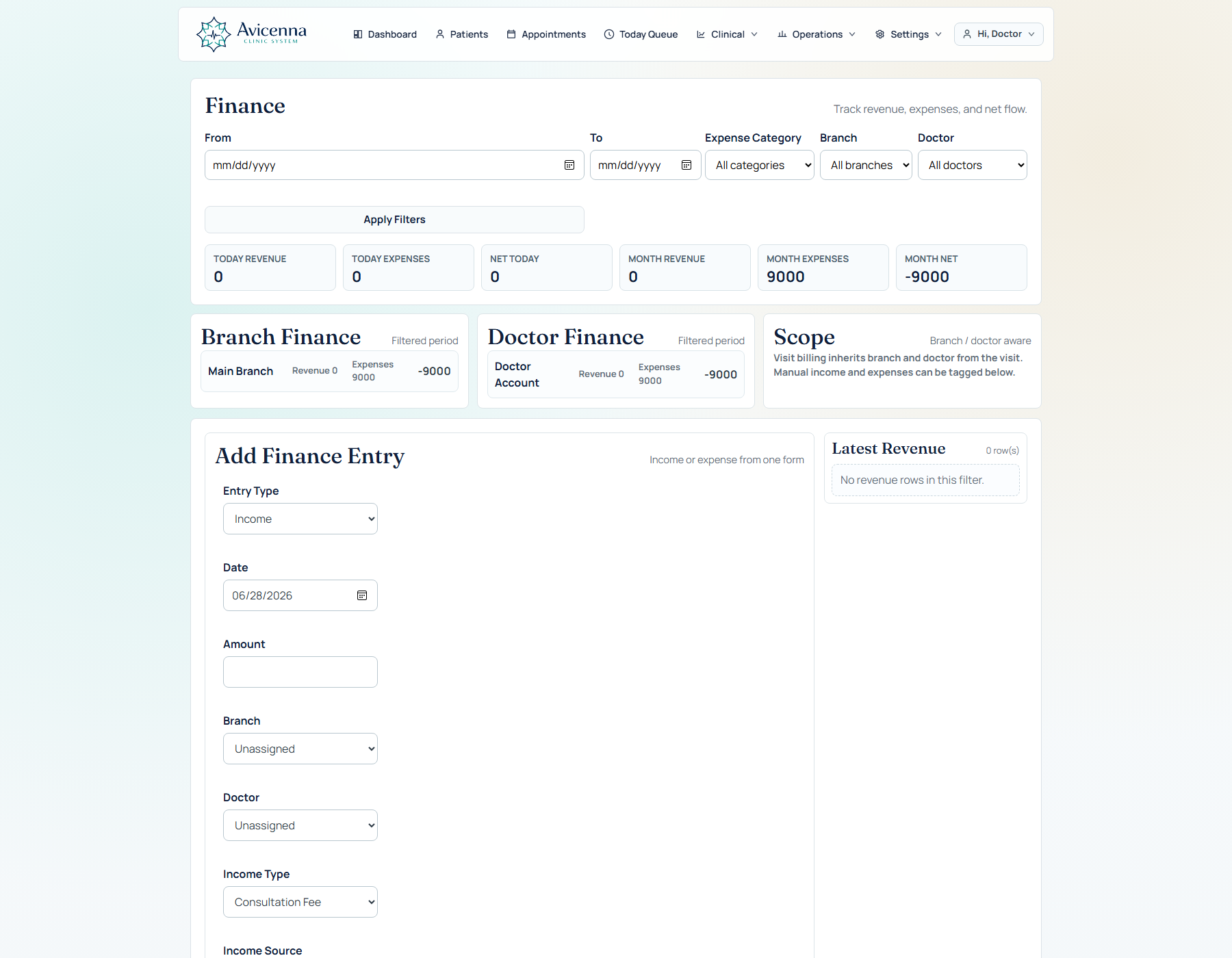
The system includes finance entries, visit billing, income/expense classification, dynamic finance types, daily and monthly KPIs, and audit coverage for sensitive actions.
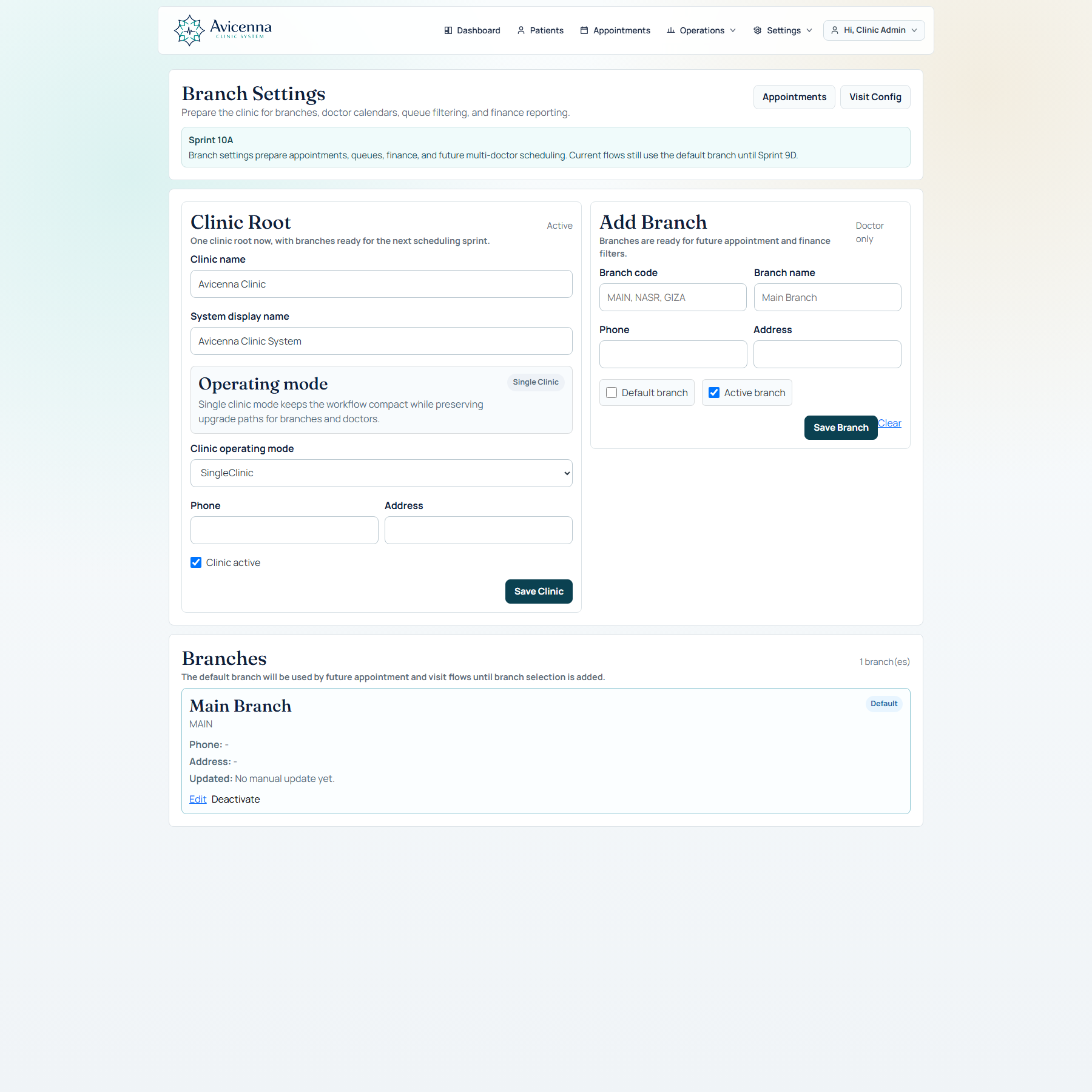
Finance dashboard with revenue, expenses, net values, latest records, dynamic types, and filters.Branch settings support local clinic operation, doctor assignment, and center-style expansion.
Center-ready structure
The product can grow from one clinic to branches and multiple doctors.
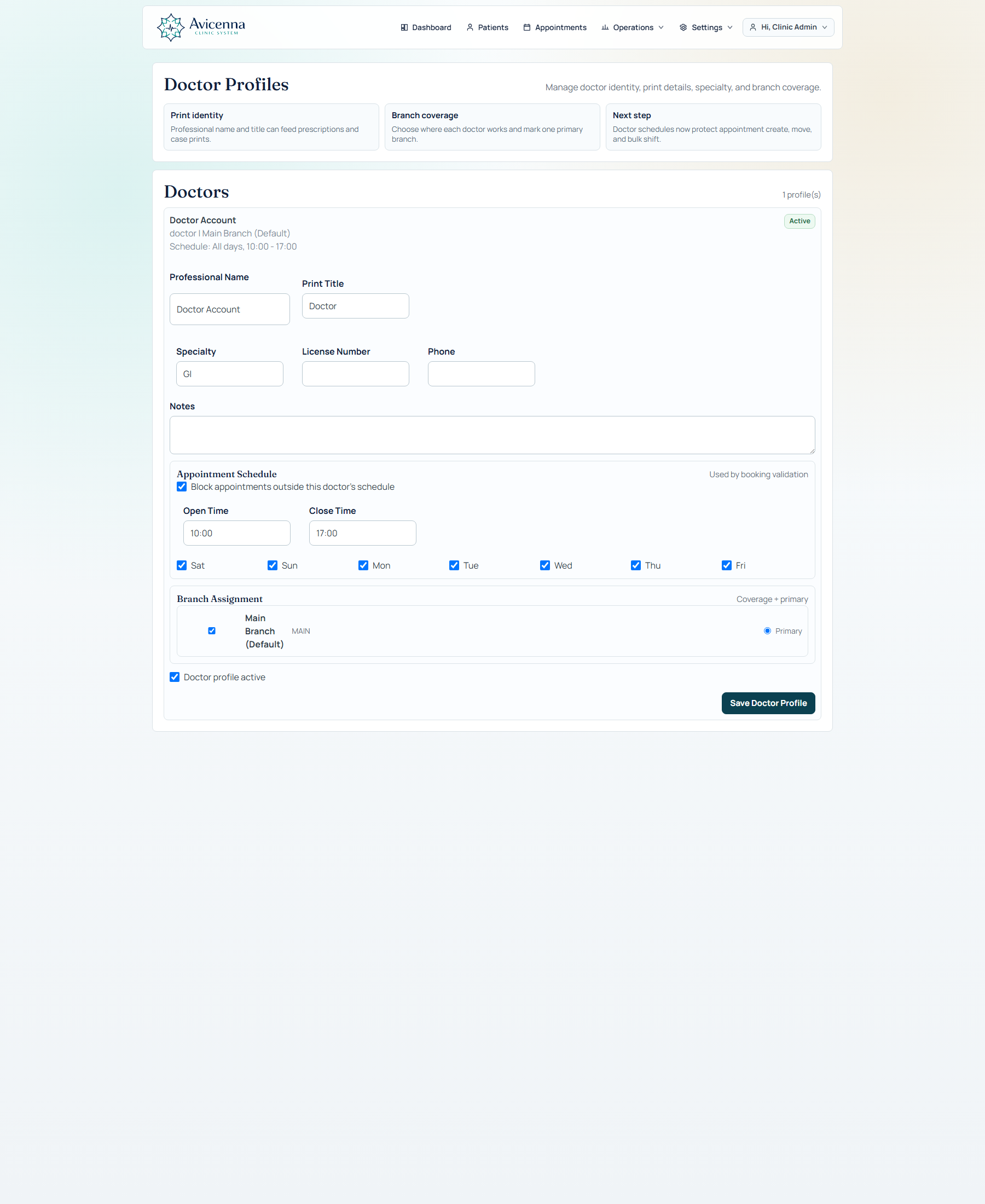
Clinic, branch, doctor, specialty, role, and workflow profile concepts keep the product ready for a small clinic today and a larger center later.
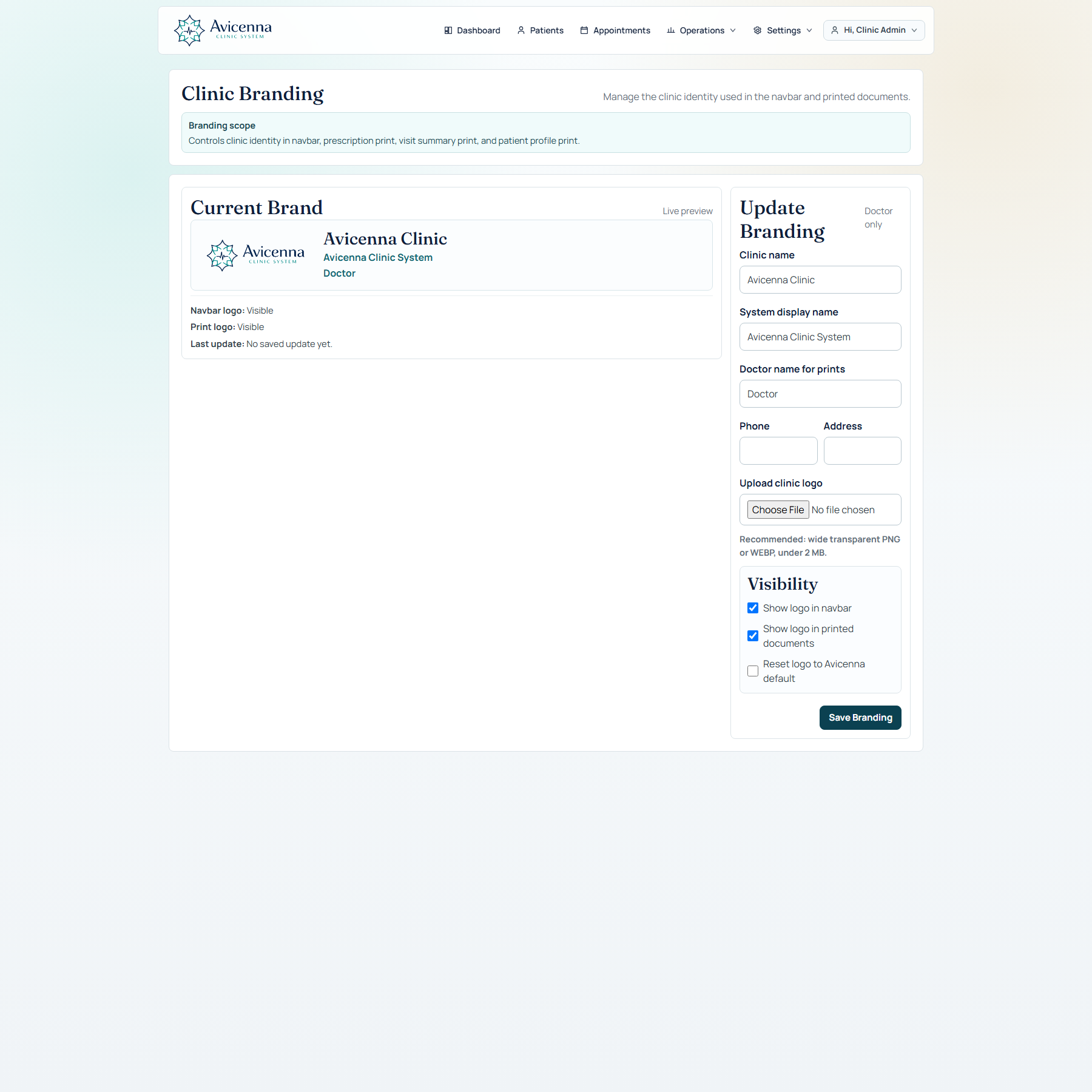
Doctor profiles with assignment context, specialty relation, and operational identity.Clinic branding controls navbar identity and printed document identity.
RolesDoctor, assistant, admin, and super-admin style permissions separate sensitive operations from daily booking.Audit and backupCritical actions can be logged, reviewed, exported, backed up, and restored through governed flows.Demo/reset toolsDemo data, dry-run reset, cleanup, starter seeding, and showcase mode support safe presentation.
Specialty setup
Different specialties should not be forced into the same visit shape.
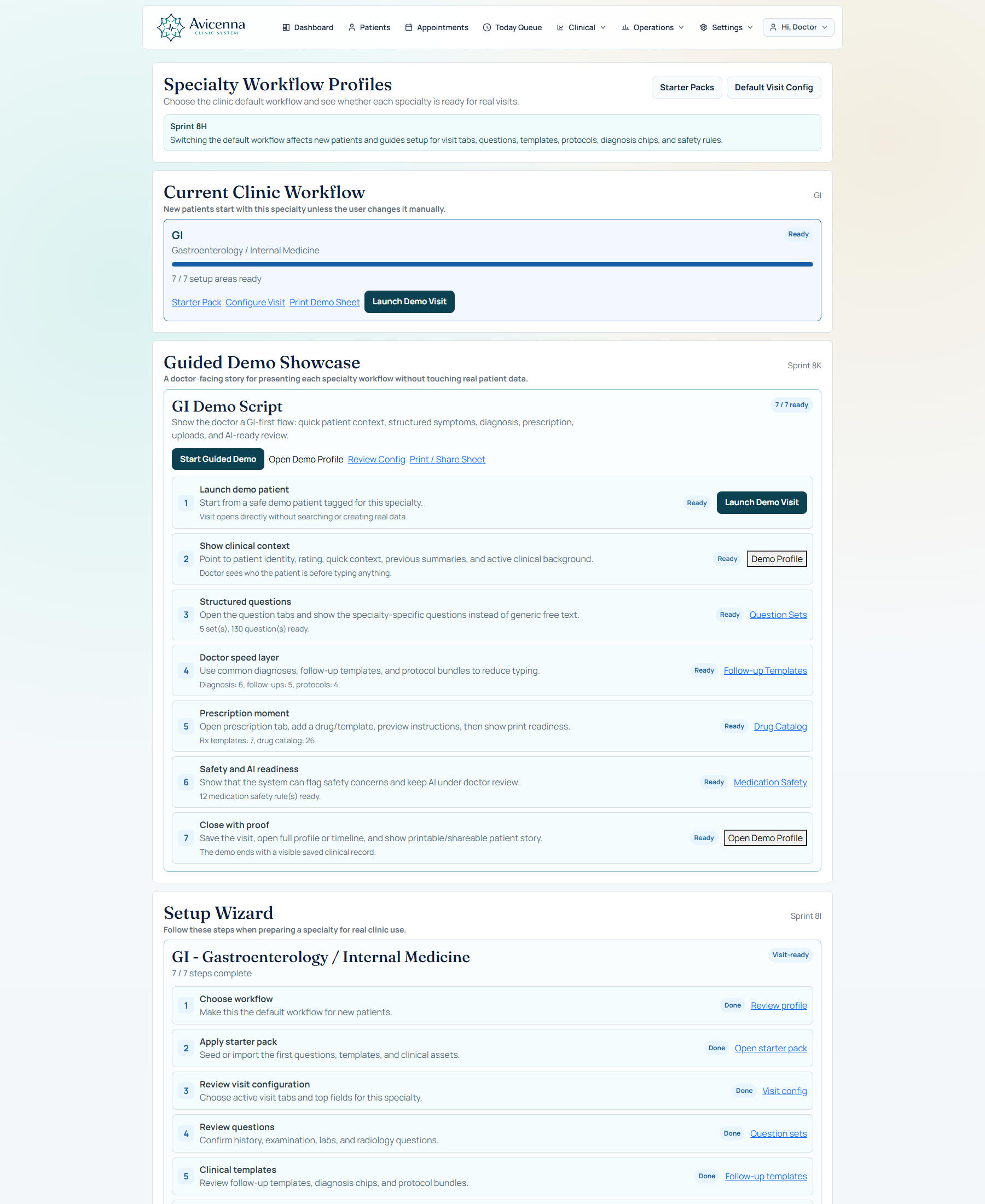
The product started with a strong GI workflow, but specialty workflow profiles and starter packs make it possible to build lighter or different workflows for other clinic types.
Specialty workflow profiles define the clinical shape for each specialty.Visit configuration controls active tabs, helpers, top fields, billing, prescription, uploads, protocols, and AI blocks.
Starter packs
Setup can be packaged, imported, reviewed, and rolled back.
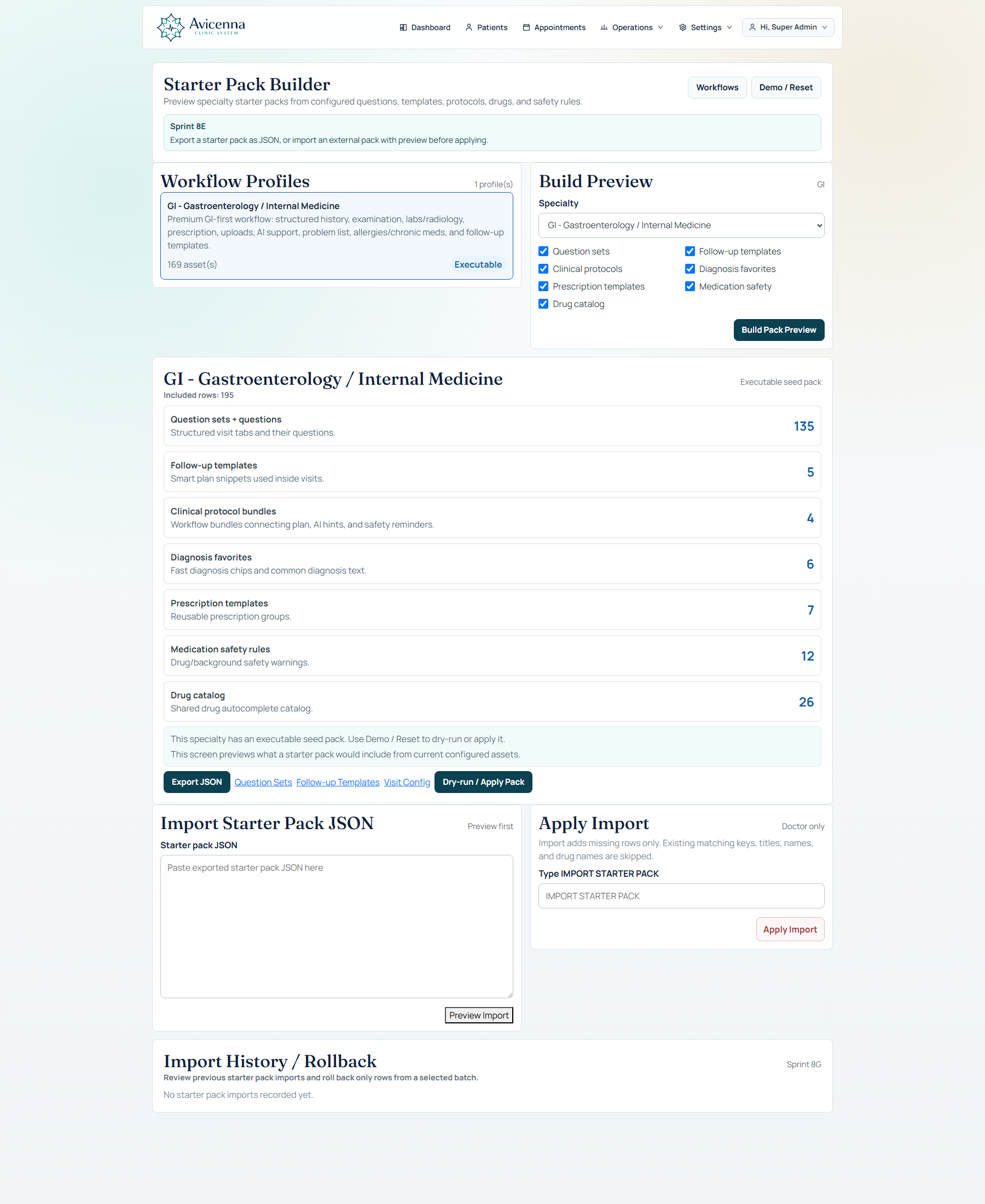
Starter packs help prepare question sets, drug lists, templates, diagnosis favorites, protocol bundles, and safety rules without manually building a clinic from zero every time.
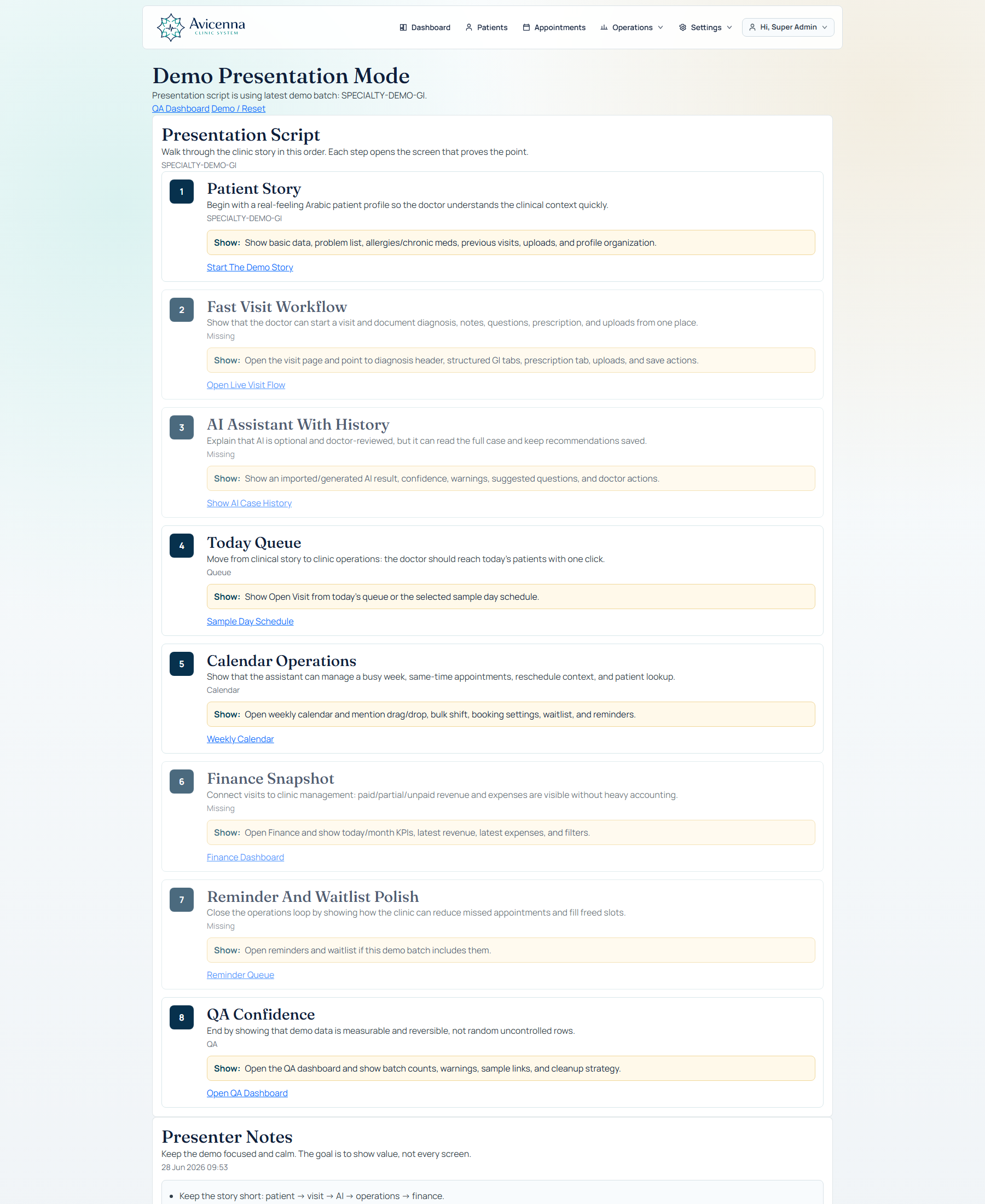
Starter pack builder for reusable clinical setup by specialty.Demo presentation mode and scenario navigation help present the product in a guided story.
Demo narrative
The strongest demo is a real clinic story.
Start with patient search, book or open the visit, document the case, add prescription and uploads, generate AI support, print the result, and return to the profile to see the patient story preserved.
For the doctorSpeed, context, structured documentation, prescription, AI support, and patient memory.For the assistantSearch, register, book, manage queue, and avoid duplicate patient creation.For the clinic ownerOperations, finance, branches, doctors, governance, backup, and configuration.
Avicenna Clinic System
Clinical workflow platform for modern clinics and medical centers.
 Clinical Workflow Platform