An AI assistant that supports the visit inside the workflow, not outside it.
Avicenna Clinic treats AI as a drafting and support layer around structured clinical data. The doctor remains the decision-maker, while the product handles provider choice, case export/import, readiness cues, image awareness, speech capture, and safety framing.
The AI layer is built from five practical capabilities
Instead of one generic prompt box, the product treats AI as a set of connected clinical tools.
Provider selection
The clinic can manage multiple AI providers and choose the active path for recommendations and supporting flows.
- Provider-aware configuration
- Mock vs real mode control
- Image-capable awareness
Full-case recommendation
The visit can generate AI output using full documented case data rather than isolated prompt fragments.
- Diagnosis + notes + structured fields
- Uploads and image inclusion flags
- Follow-up and protocol hints
External AI compatibility
Doctors who prefer external AI tools can export a structured case prompt and import the result back into the same patient timeline.
- Prompt/file export
- Structured import schema
- Pretty imported result display
Speech-to-clinical text
Speech dictation and conversation capture can support note entry and future structuring, while staying under doctor review.
- Notes dictation
- Conversation capture
- Speaker labeling support
Safety and confidence cues
AI outputs are shown with safety/readiness framing so the doctor can judge whether the draft is clinically usable or needs caution.
- Doctor review required logic
- Readiness status and blockers
- Confidence notes and imported state
Longitudinal AI memory
AI drafts do not vanish after use. They can remain in patient context and timeline so the doctor can revisit what was previously suggested.
- AI history in profile
- Timeline-aware display
- Imported and generated output continuity
Two real screens that explain the AI story fast
The AI message becomes much clearer when we show both sides: the visit page where the doctor triggers support, and the configuration page where the clinic controls providers, speech, and runtime behavior.
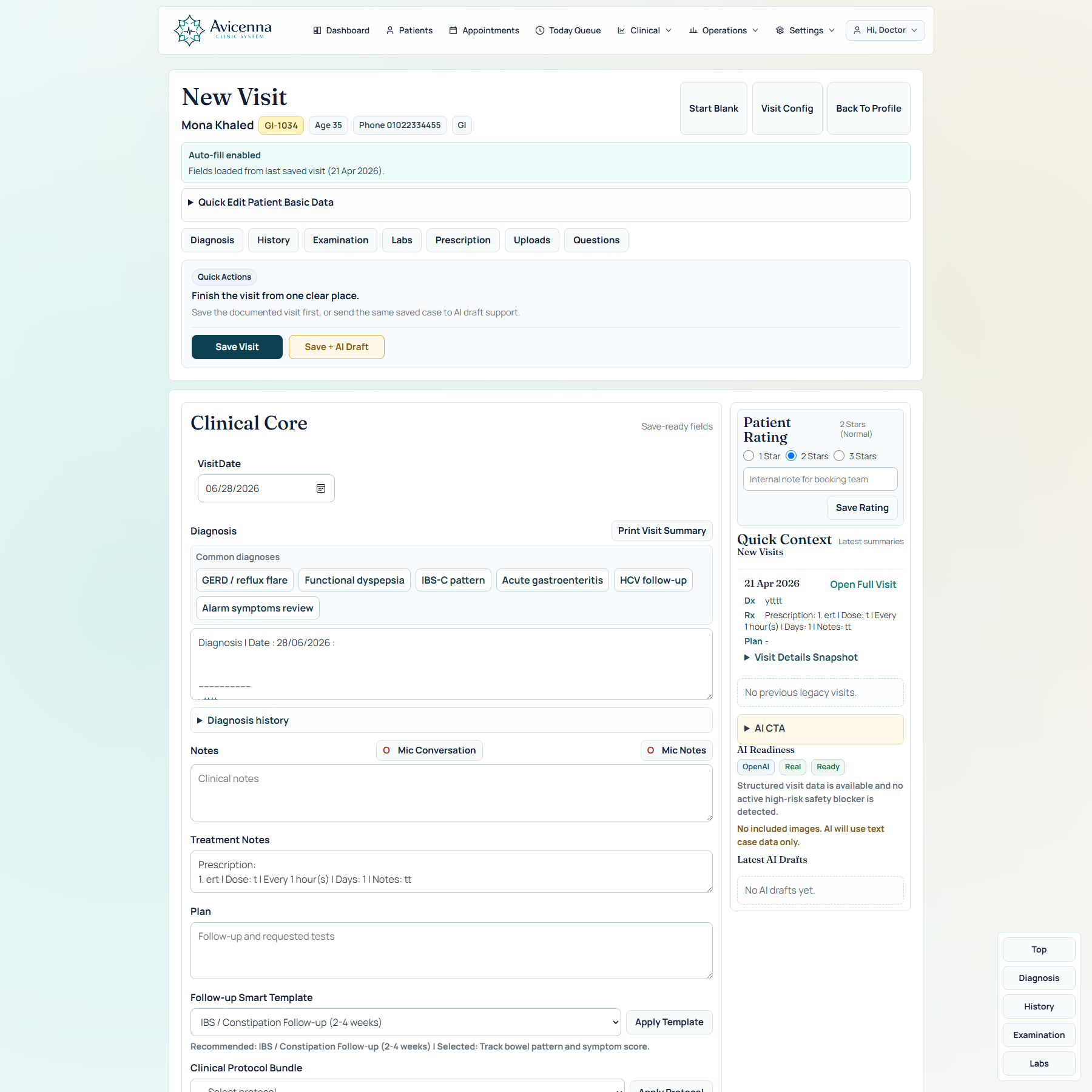
AI inside the visit workspace
This screenshot proves that AI is not floating outside the chart. It sits next to diagnosis, notes, uploads, templates, protocols, and save actions, so the doctor stays in the workflow instead of context-switching into a separate tool.
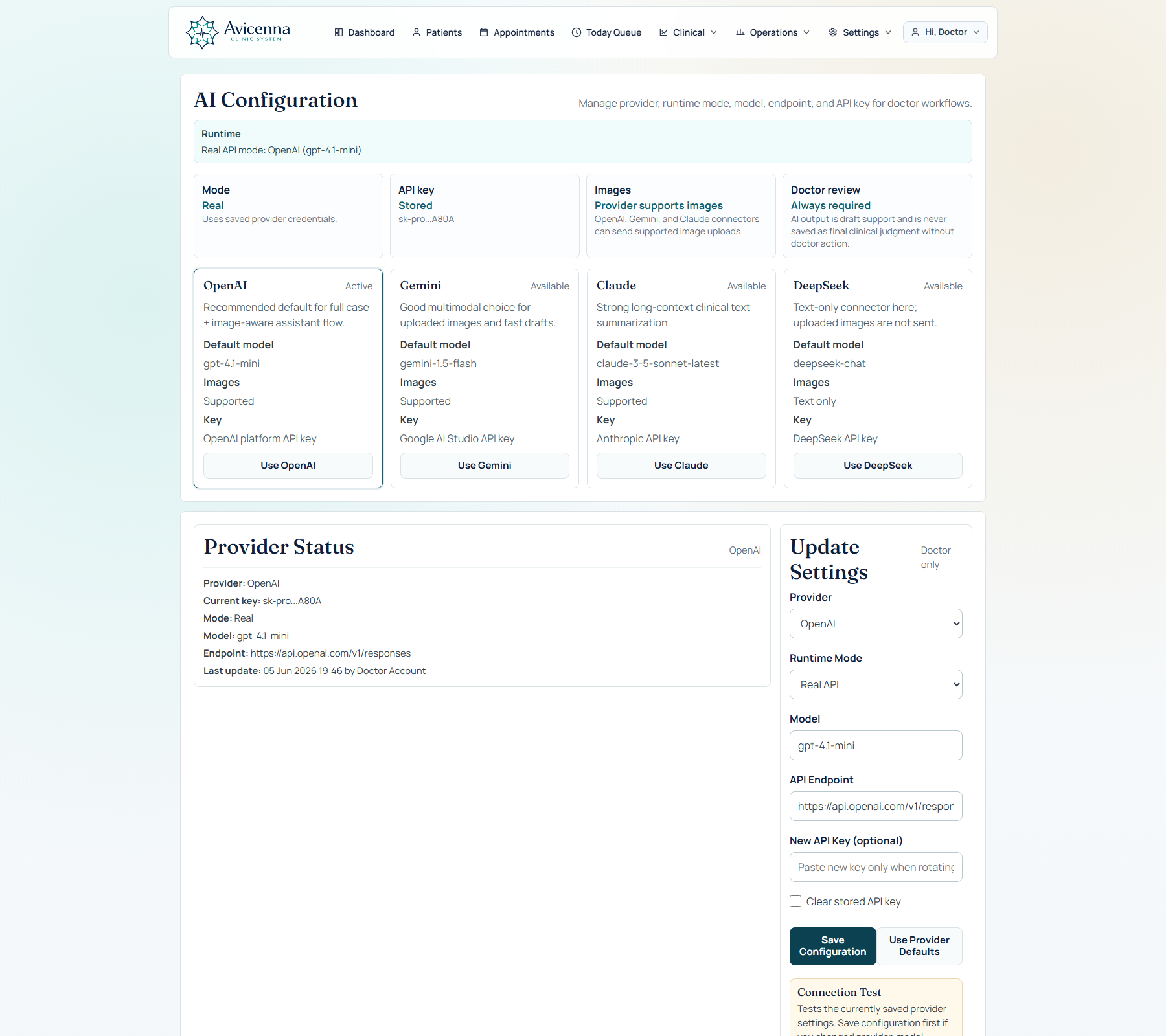
Provider and speech configuration
This screen proves controllability. Providers, runtime mode, language, and speech mapping are governed from a real configuration layer, which matters for clinics that want AI options without destabilizing doctor workflow.
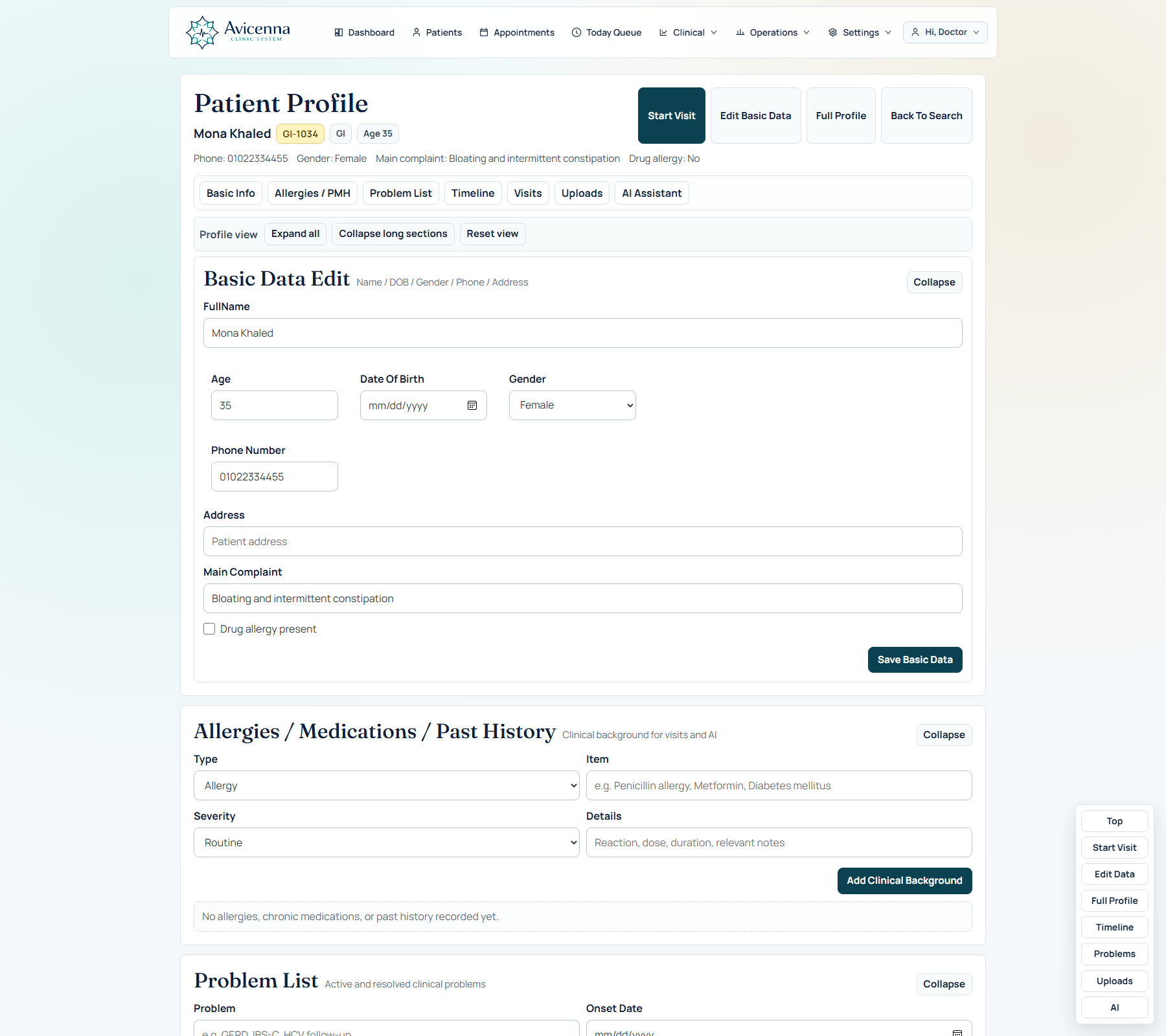
AI drafts return to the patient story instead of disappearing
This is the memory proof for AI. The value is not only generation; the result returns to patient memory, timeline, and future review so the doctor can revisit what was suggested later.
How AI is framed so it helps without annoying the doctor
The design principle here is support without interference. The system tries to stay useful, visible, and optional.
Structured, not chat-first
The assistant works from the visit and profile context, so the doctor is not forced into conversational overhead for every case.
One-click where it matters
Generate from the full case, include images deliberately, import external output, and return results to the same story.
Transparent state
Readiness, imported vs generated state, and provider context help the doctor understand what the system is actually doing.
Review before reliance
The interface supports clinical judgment rather than trying to replace it.