The patient profile is the clinic's memory layer, not just a registration record.
The strongest long-term value in Avicenna Clinic is not only what happens during the visit. It is what stays understandable after the visit. The Patient Profile turns visits, uploads, problems, allergies, AI outputs, and clinical context into one readable patient story.
The profile is organized around continuity
Each section answers a practical question a doctor asks when opening a patient again: who is this, what matters clinically, what happened before, what changed, and what needs to stay visible now.
Basic data and contact context
Identity, age, phone, branch, doctor, and specialty context stay easy to correct and easy to re-read.
- Quick edit basic data
- Duplicate review support
- Branch-aware patient context
Clinical background
Allergies, chronic medications, and past medical history sit outside the single visit so the doctor sees durable information first.
- Allergy records
- Chronic medication memory
- Past history persistence
Problem list
Problems can stay active or be resolved, giving the profile a clinically useful summary rather than only chronological notes.
- Active problem strip
- Status and category context
- Longitudinal problem review
Uploads and imaging evidence
Images and uploaded files stay connected to the patient story and can later support AI review or doctor follow-up.
- Desktop upload
- Mobile QR upload
- Image inclusion awareness for AI
Clinical timeline
The timeline turns visits, problems, uploads, and AI drafts into one readable historical view that can be filtered, printed, and revisited quickly.
- Clinical summary timeline
- Filters for visits, AI, uploads, legacy, and more
- Share and print support
AI history and exports
Imported or generated AI drafts stay attached to the patient, and the full case can be exported for external AI use when needed.
- External AI import
- Unified display of drafts
- Case export for outside review
What the real profile page already shows
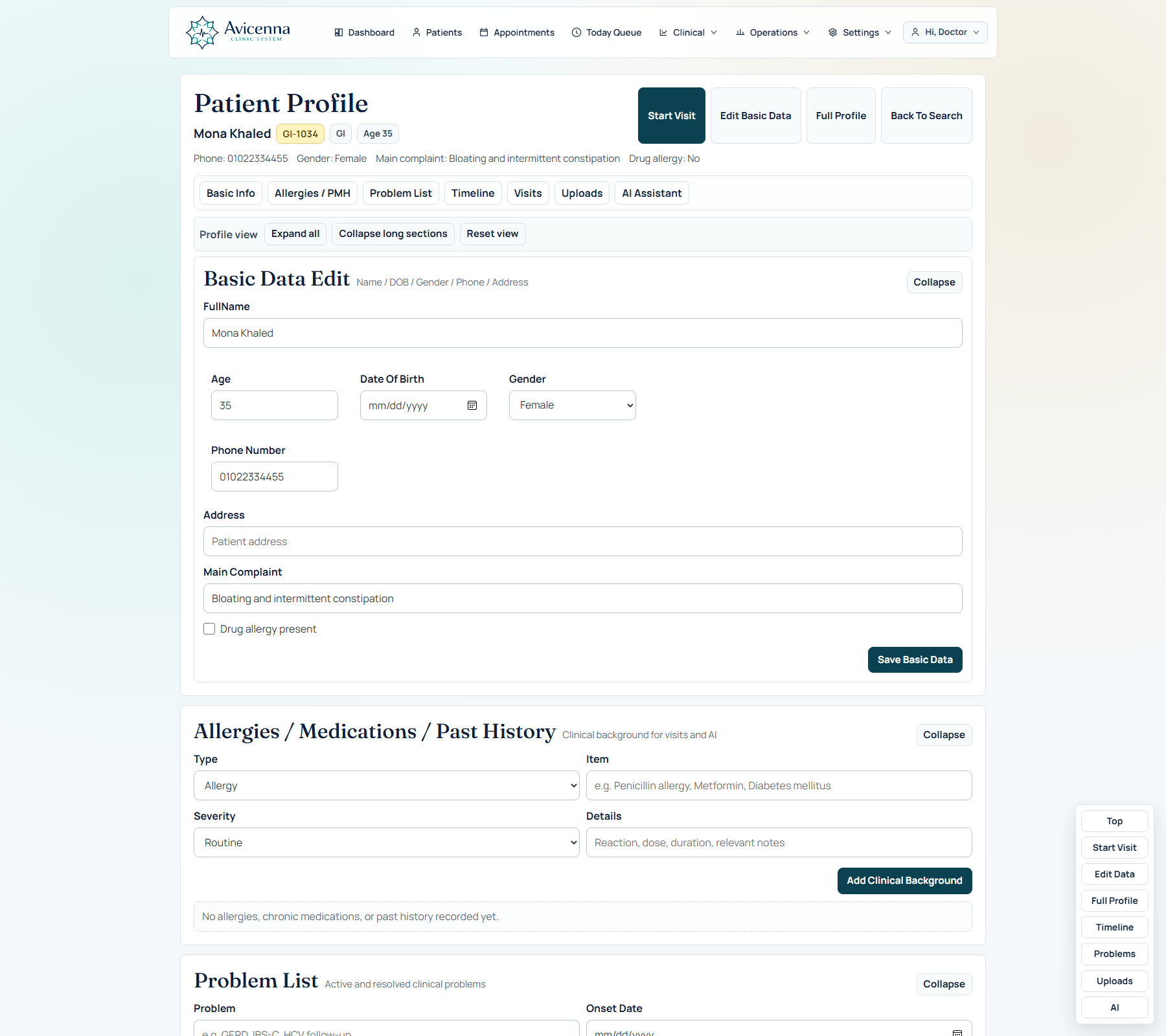
The live patient profile is more than a summary card. It is the place where the clinic can reopen context fast and move back into clinical work without hunting through old notes, screenshots, or memory.
Clinical timeline + patient memory
This is the continuity proof screen. Visits, uploads, AI drafts, problems, and background items live in one readable clinical story, so a viewer immediately understands that the system remembers clinically, not only administratively.
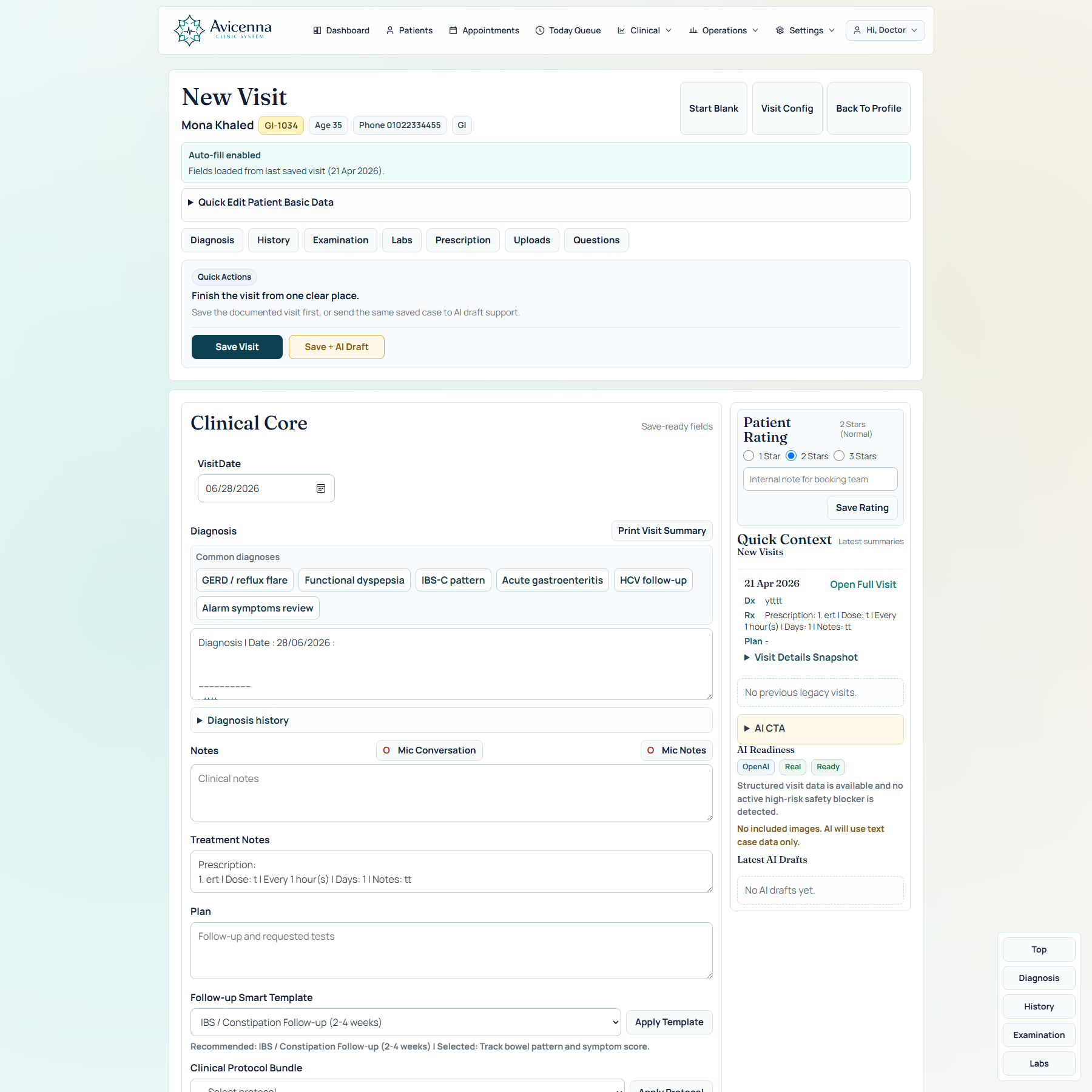
Bridge back into the visit
This screenshot reinforces re-entry speed. The same patient context can move straight back into the visit workspace, so the doctor is not forced to rebuild the case from scratch when the patient returns.
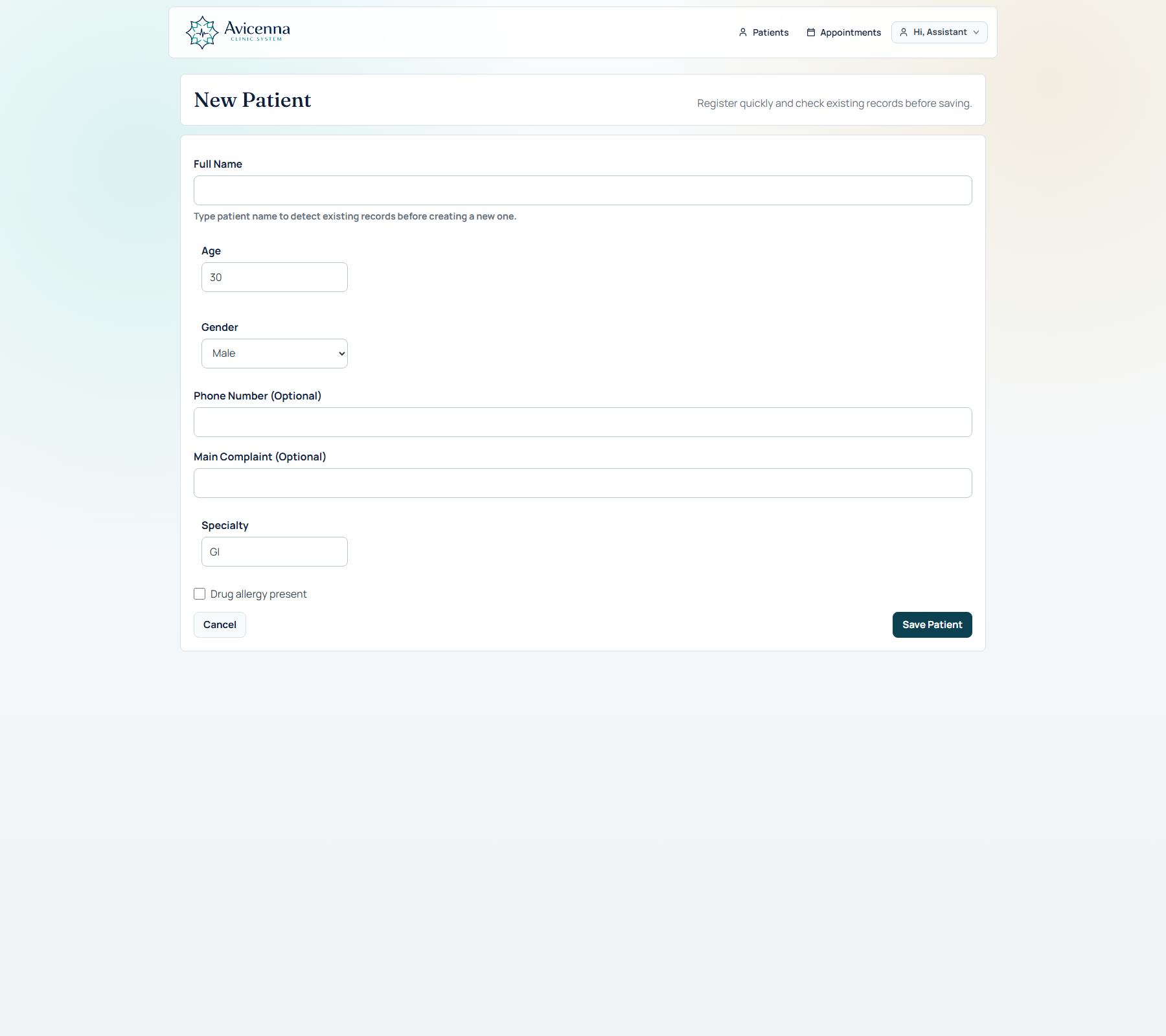
Profile continuity starts from the first registration
Even the first registration screen matters here. It shows that continuity starts at day zero, because the product is already shaping the future patient story while the assistant is entering the basic record.
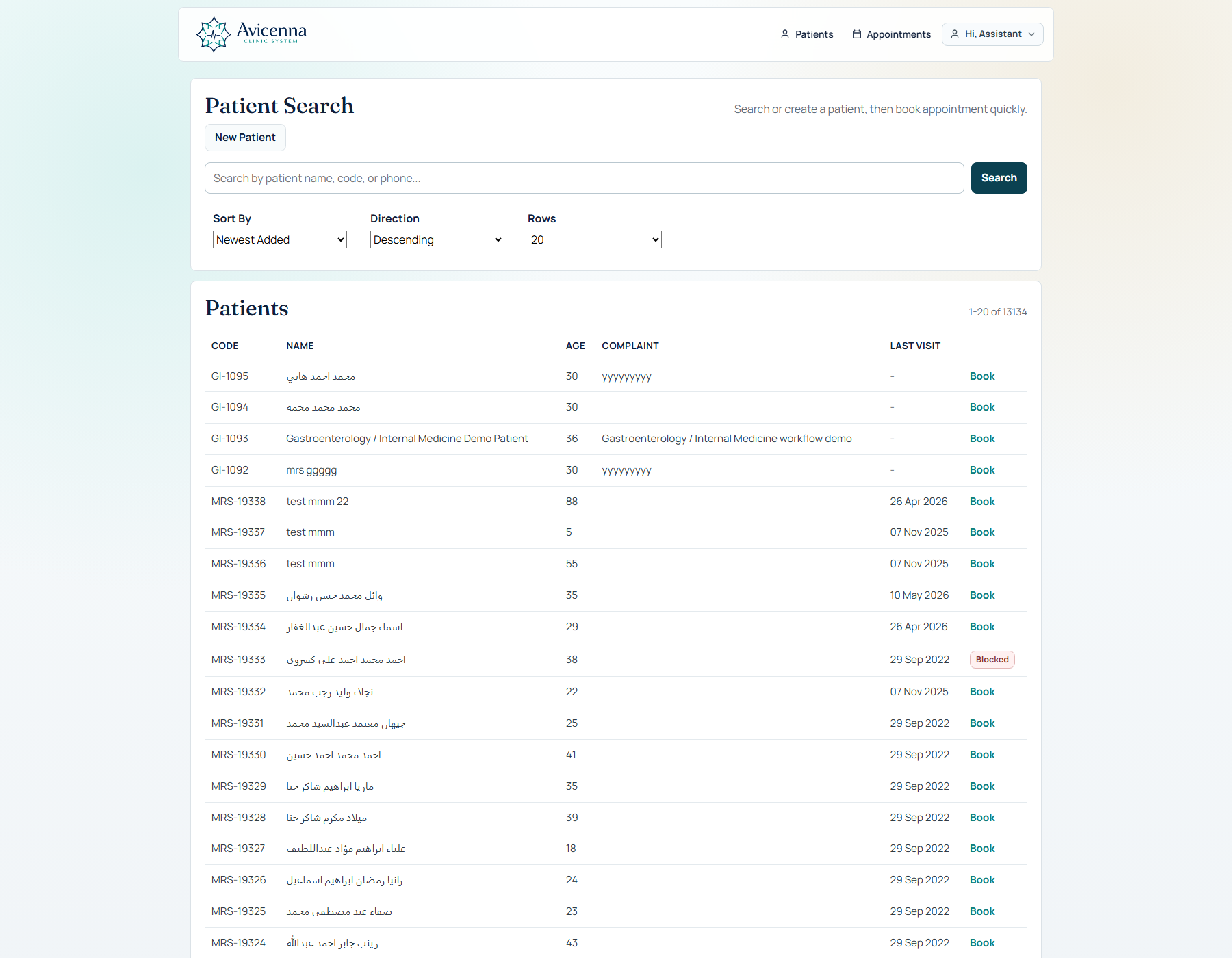
Search can reopen the same patient story quickly
This closes the loop: the assistant or doctor can come back through search, reopen the same record, and continue the same clinical thread instead of creating duplicate dead ends.
Why this page matters in the product story
This page is where a doctor understands that the system remembers clinically, not only administratively.
It reduces re-explaining
The doctor does not need to rebuild the case from scattered old notes every time the patient returns.
It supports follow-up care
Plans, follow-up timing, uploads, AI outputs, and previous visit context stay visible together.
It makes the product demo stronger
Showing a profile with timeline, problems, uploads, and AI memory immediately makes the product feel larger and more mature.
It makes print and sharing useful
What is stored is not trapped in the app. It can become a clean patient summary, printout, or external AI handoff.