
Clinic control layer
The operations layer that keeps the clinic running around the doctor.
Avicenna Clinic is not only a visit documentation tool. It also manages the day around the visit: appointments, queue, finance, reminders, branches, doctors, permissions, and clinic setup controls. This is the page that helps an owner or operations lead understand the business value of the platform.
The operations layer in six practical domains
These are the areas that make the system feel like clinic software, not only medical note software.
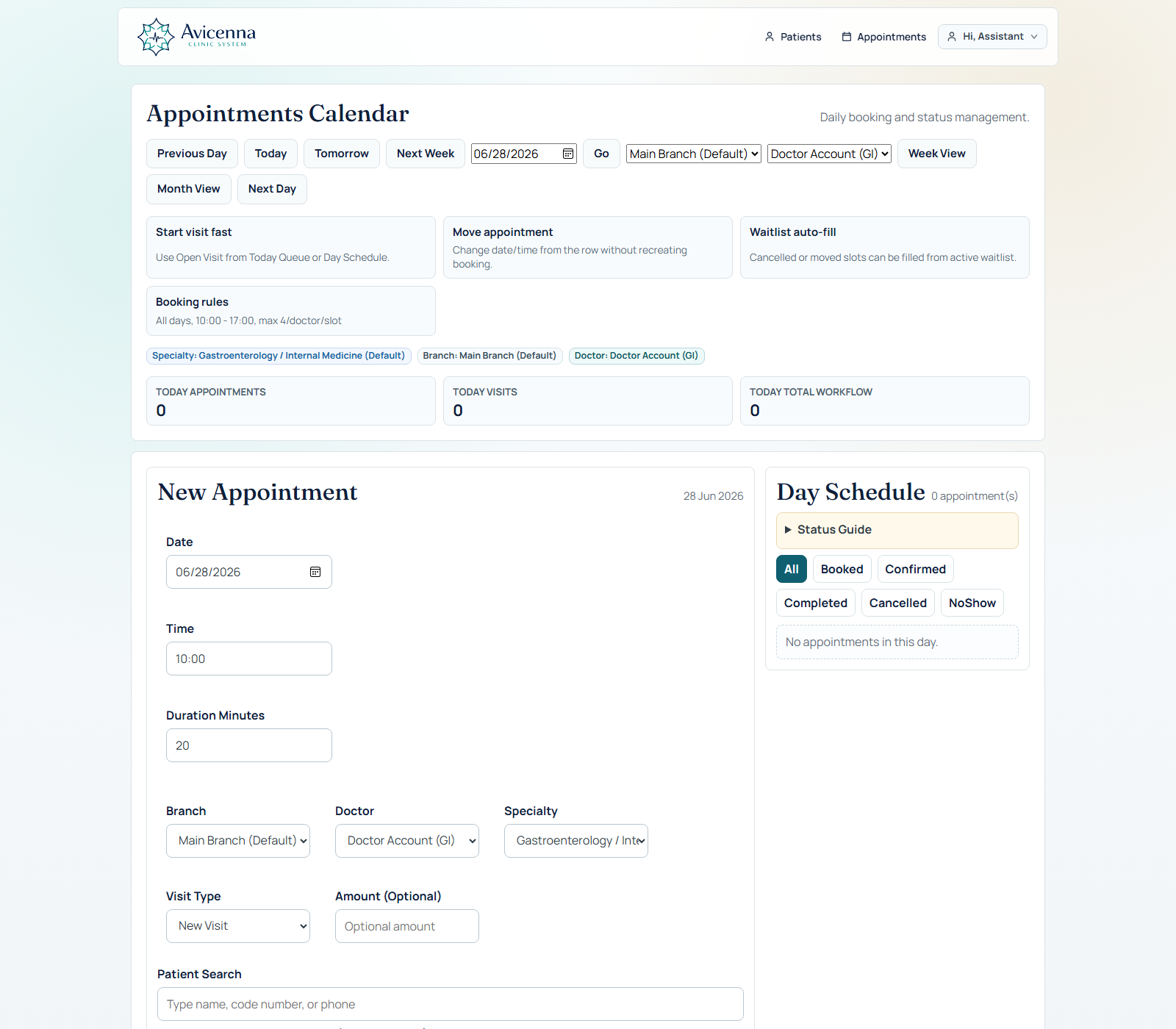
Appointments and day queue
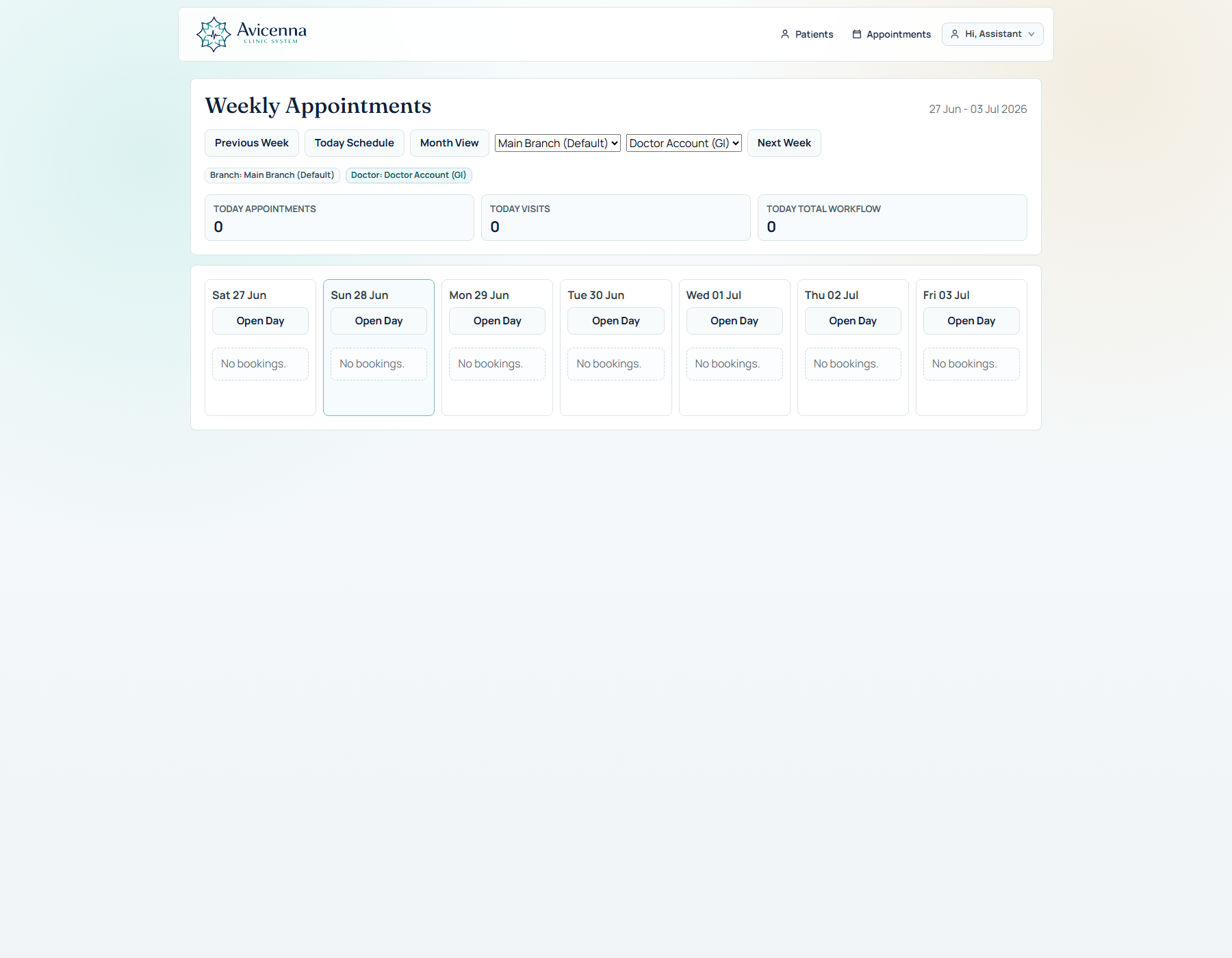
The assistant can book quickly, move between day/week/month views, handle queue status, and open the visit from operational context.
- Day schedule and weekly calendar
- Open Visit and fast doctor flow
- Booking rules, closed days, and working hours
Waitlist and reminder tooling
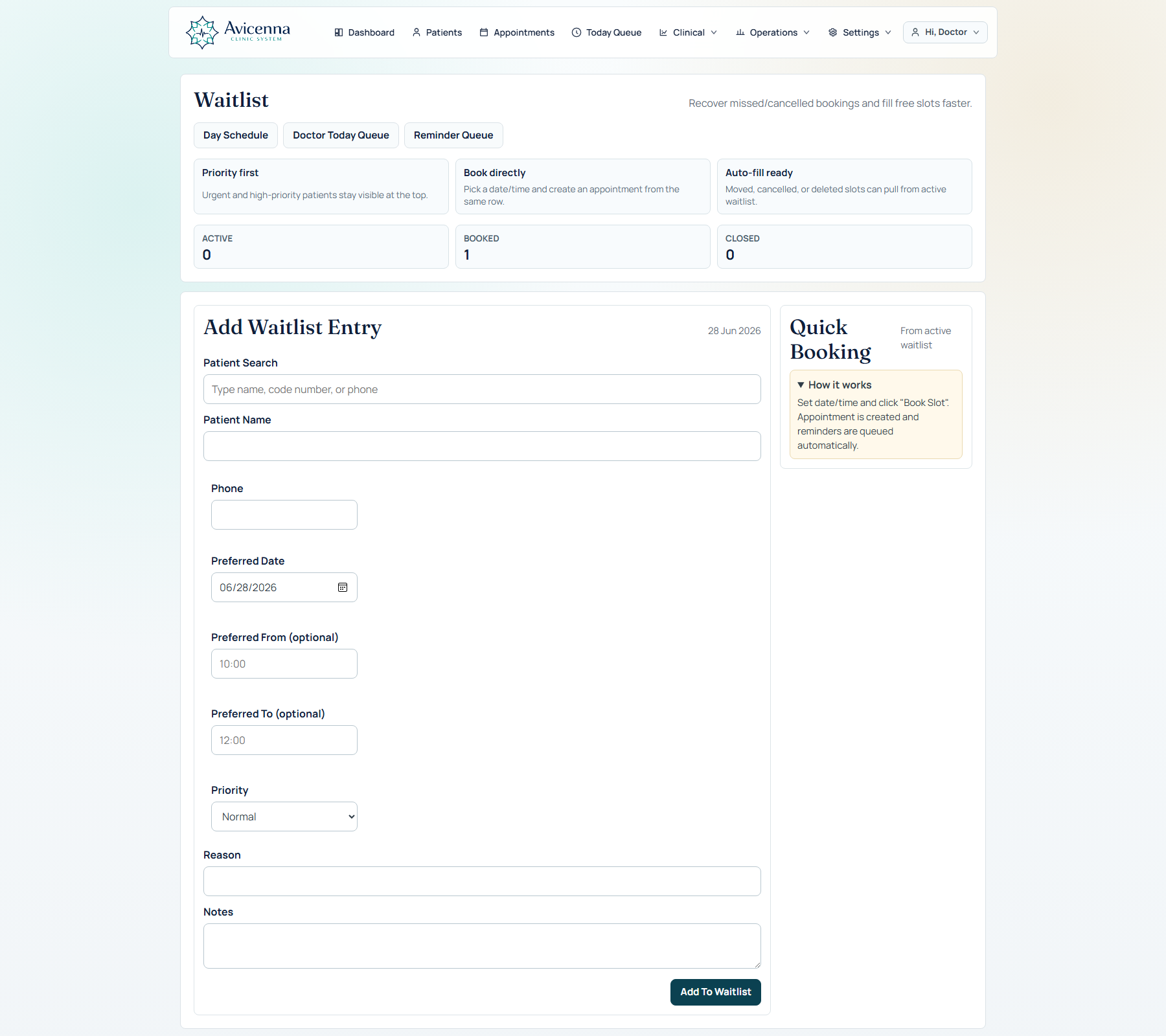
The system supports waitlist behavior and reminder configuration so missed capacity can be reused instead of lost.
- Waitlist queue
- Reminder templates and settings
- Delivery-ready operational design
Billing and finance
Visit billing, expenses, income, and finance summaries help the clinic track cash movement without leaving the platform.
- Visit type and amount context
- Income / expense entries
- Dashboard-ready finance visibility
Branch and doctor structure
The product can move from one-clinic operation to branch-aware and doctor-aware assignment while keeping the same clinical core.
- Branch settings
- Doctor profile assignment
- Appointment doctor routing
Roles and governance
Assistant, doctor, admin, and super admin responsibilities are separated so operational access does not blur with clinical authority.
- Role-aware menus and actions
- Membership and admin controls
- Audit and backup paths
Demo, setup, and environment control
The product can prepare demo data, reset tagged records, and support controlled rollout stories when presenting to new clinics.
- Demo-safe setup flows
- Starter pack launch support
- Presentation-mode readiness
Operations is also about money visibility
Appointments and queue show the front of the clinic day. Finance completes the story by showing what happens after the visit is charged, paid, or tracked operationally.
Reminder queue in the real product
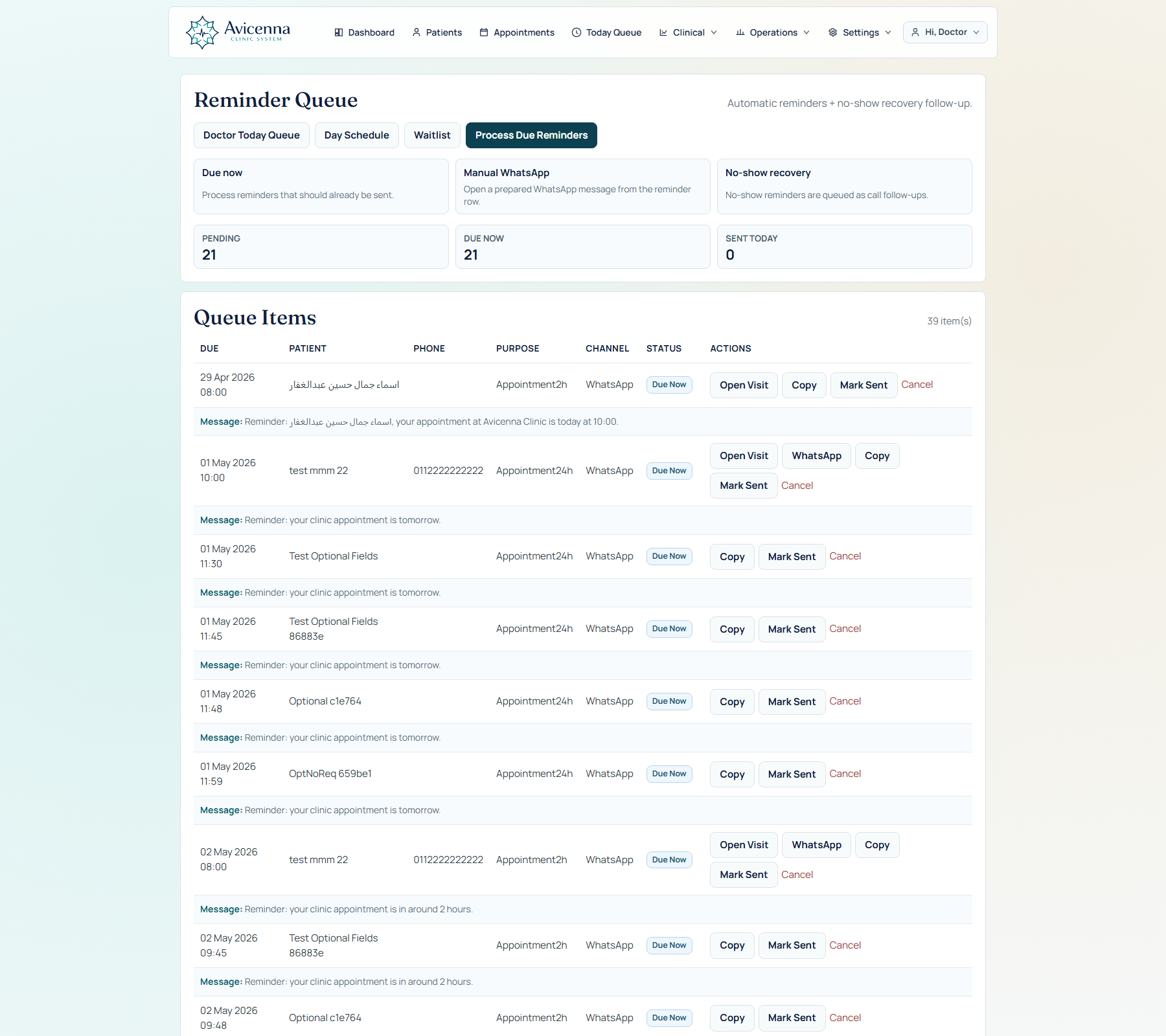
This proves execution, not promise. The clinic can review due items, send, cancel, and monitor reminder flow from an actual operational screen instead of relying on a future roadmap claim.
Waitlist can fill operational gaps
This is the capacity-recovery screen. When a slot opens, waitlist handling helps the team turn cancellations into recovered visits instead of idle time and lost revenue.
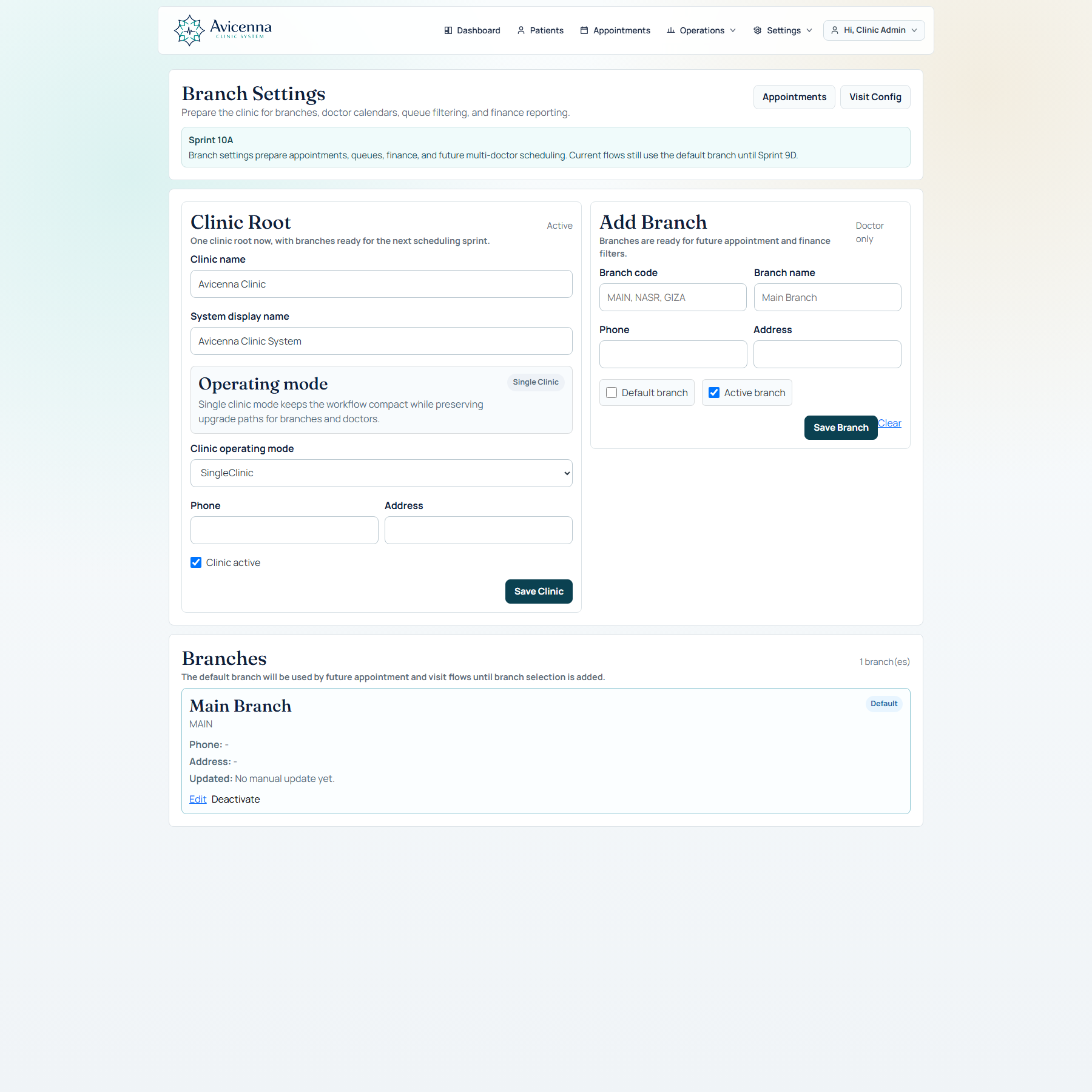
Branch settings define the clinic map
This screenshot tells the buyer the product can scale. Branches, default routing, and activation rules are already handled in the same product, not left to spreadsheets or future custom work.
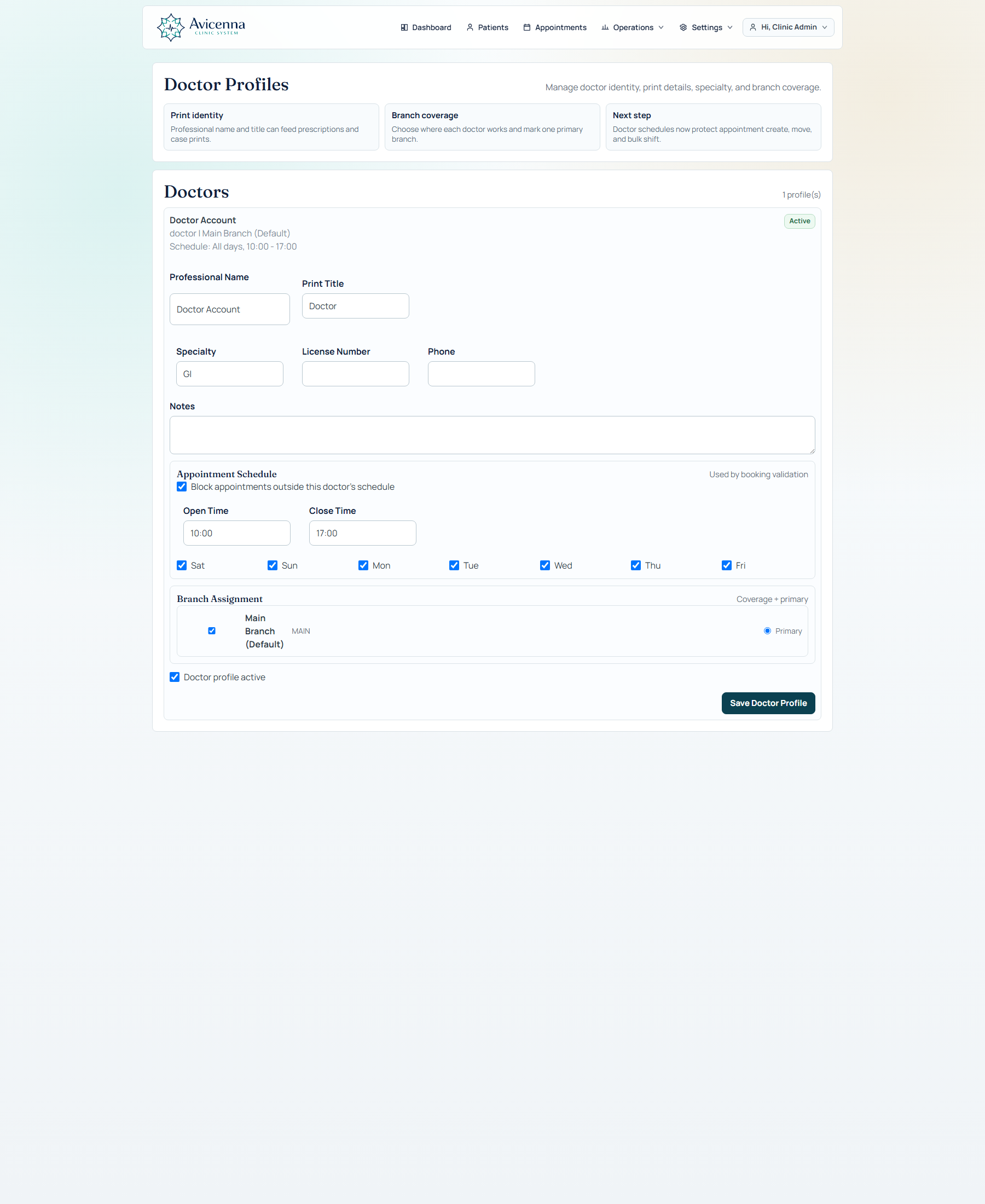
Doctor profiles control schedule and assignment
This proves operational structure under the hood. Appointments and queue logic are backed by real doctor profile setup, not a hidden spreadsheet or hardcoded timetable.
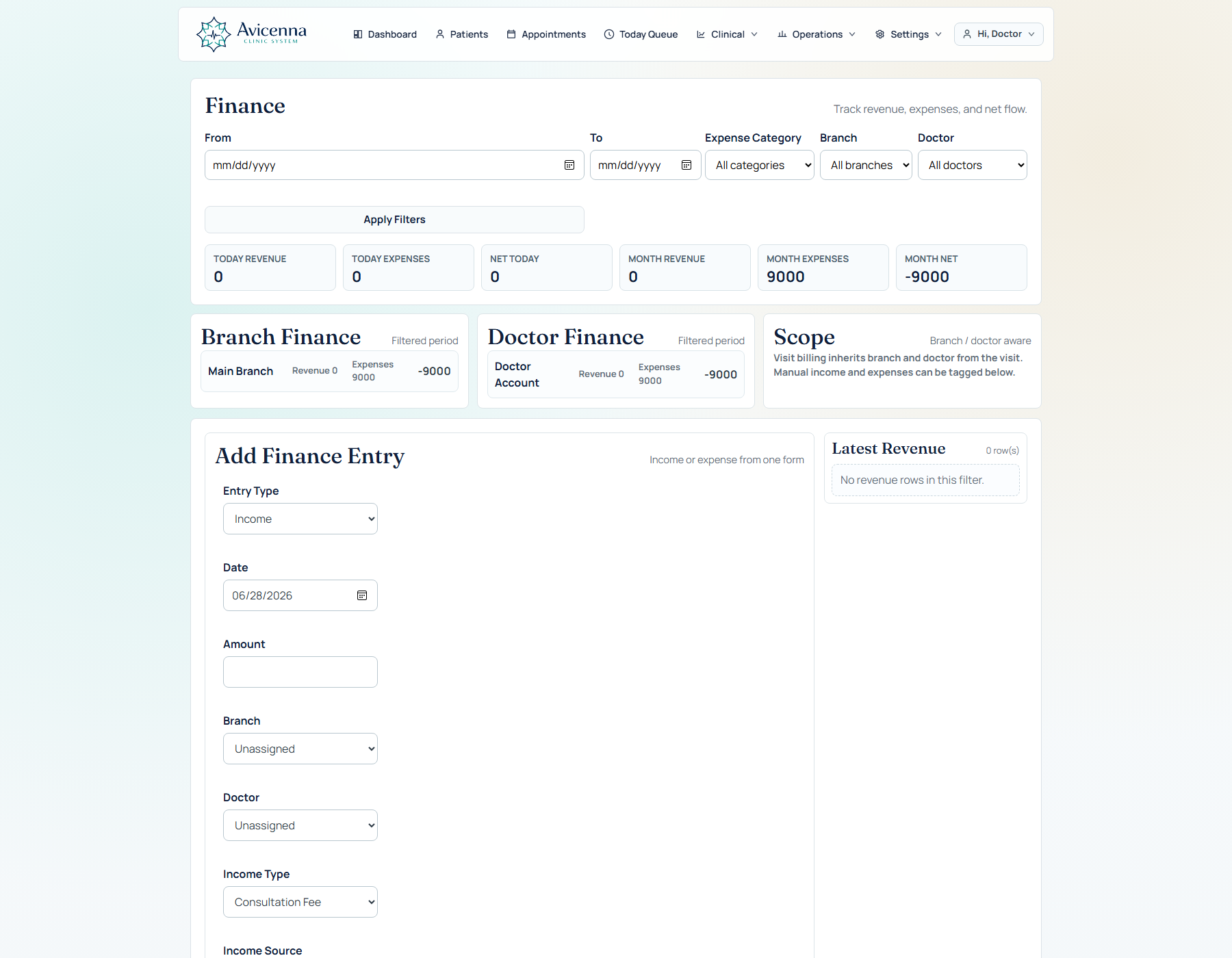
Finance dashboard inside the same product
This is the business-control screen. Revenue, expenses, payment flow, and clinic financial summary sit inside the same system, which helps position the product as operational software, not only documentation software.
Why operations matter in the sales story
Most clinic software can show a patient note. Fewer products can show how the clinic actually runs before, during, and after the doctor touches the case.
Assistant story
Search, register, book, move queue status, and open the doctor day with minimal friction and localized assistant-friendly flow.
Manager story
See finances, branch routing, doctor assignment, and daily operations without living in spreadsheets.
Growth story
Show that the same platform can support one clinic now and a medical center later without rethinking the whole product.