
Specialty-aware setup
One platform with different clinical shapes for different specialties.
Avicenna Clinic does not assume every specialty should use the same visit structure. GI can stay deep and structured, while other specialties can start from a lighter or differently arranged workflow. Starter packs, workflow profiles, question sets, and templates make specialty setup a real product layer.
The specialty model in five setup layers
The product adapts through setup building blocks rather than hardcoded specialty forks.
Workflow profile
Each specialty can decide what is visible, what is important, and how the visit surface should feel to the doctor.
- Visible sections by specialty
- Configurable visit tabs
- Clinical helpers on or off
Question set structure
Structured questions, option types, multi-selects, and values make one specialty deep without forcing that same depth everywhere else.
- History, examination, labs, radiology
- Input type flexibility
- Active/inactive question control
Starter templates and bundles
Follow-up smart templates, diagnosis favorites, prescription templates, and protocol bundles can differ by specialty intent.
- Follow-up timing presets
- Diagnosis and prescription favorites
- Protocol-driven planning helpers
Starter packs
Starter packs collect workflow profile, questions, templates, and bundle logic into a reusable specialty package.
- Seed a specialty faster
- Export/import as setup asset
- Use in demo and onboarding
Setup wizard and switching UX
The system can guide specialty launch or switching so setup becomes understandable to non-technical owners and admins.
- Guided specialty setup
- Conflict review and rollback planning
- Demo launch flow for specialty stories
Real specialty setup screens inside the product
These are the live screens that make the specialty story credible in a demo. Together they prove that setup, switching, and visit shaping already exist in the product instead of being promised as future configuration work.
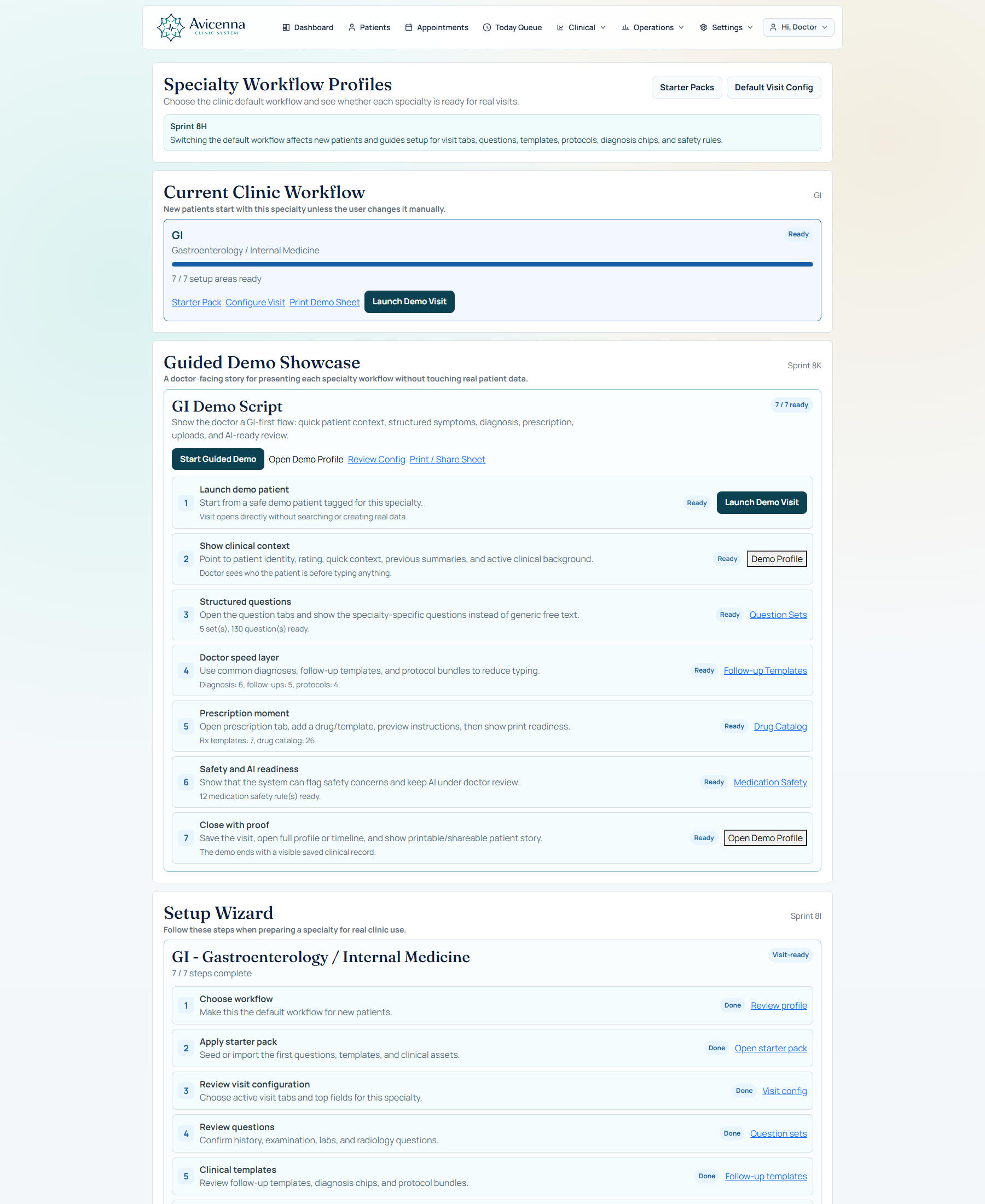
Specialty workflow profiles
This screenshot proves there is a real specialty control layer. Workflow profiles, readiness, demo launch, and specialty-level setup are managed from one operational surface.
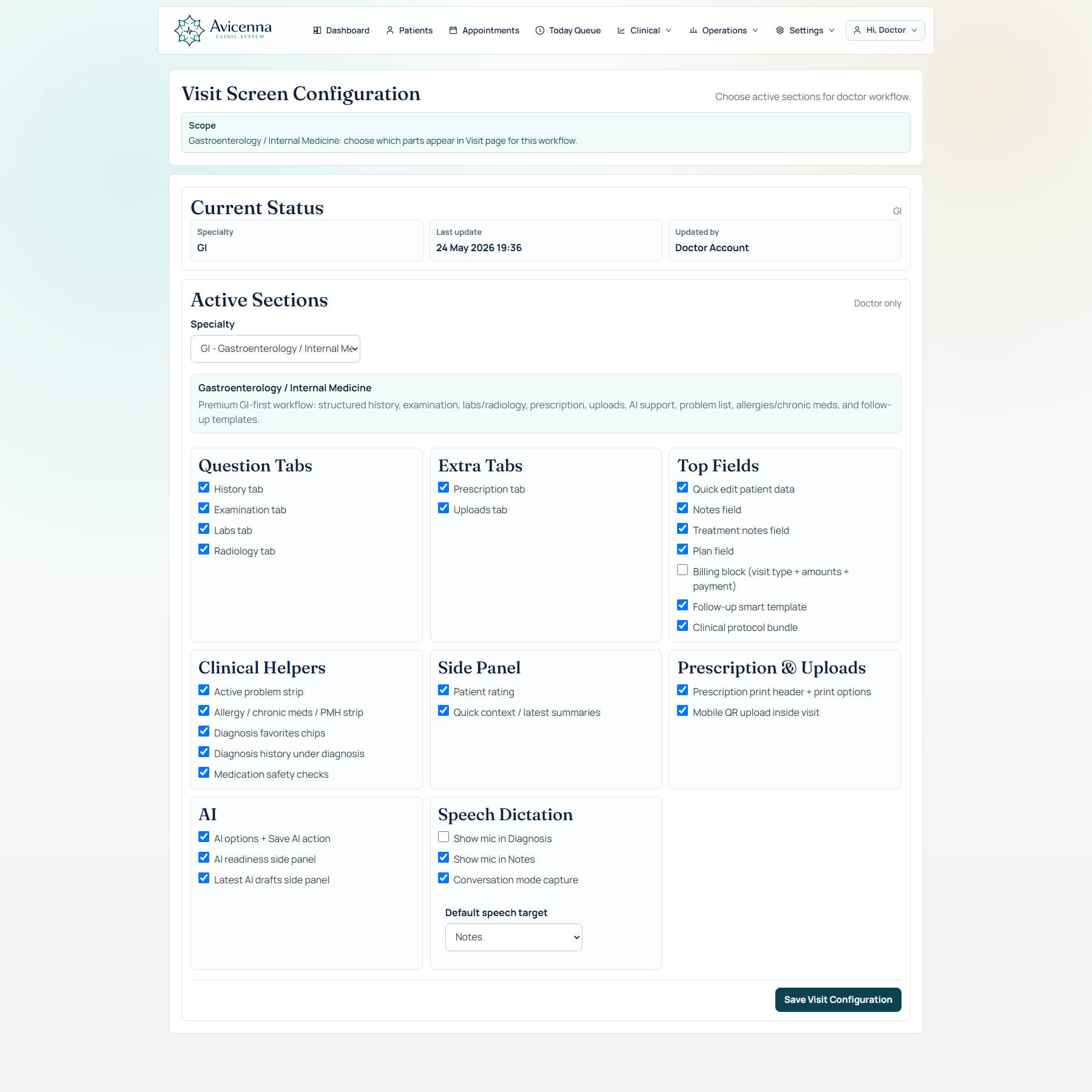
Visit configuration by specialty
This is the specialty-shaping screen. Tabs, side panels, AI helpers, uploads, speech, and quick actions can be activated per specialty instead of staying hardcoded for every clinic.
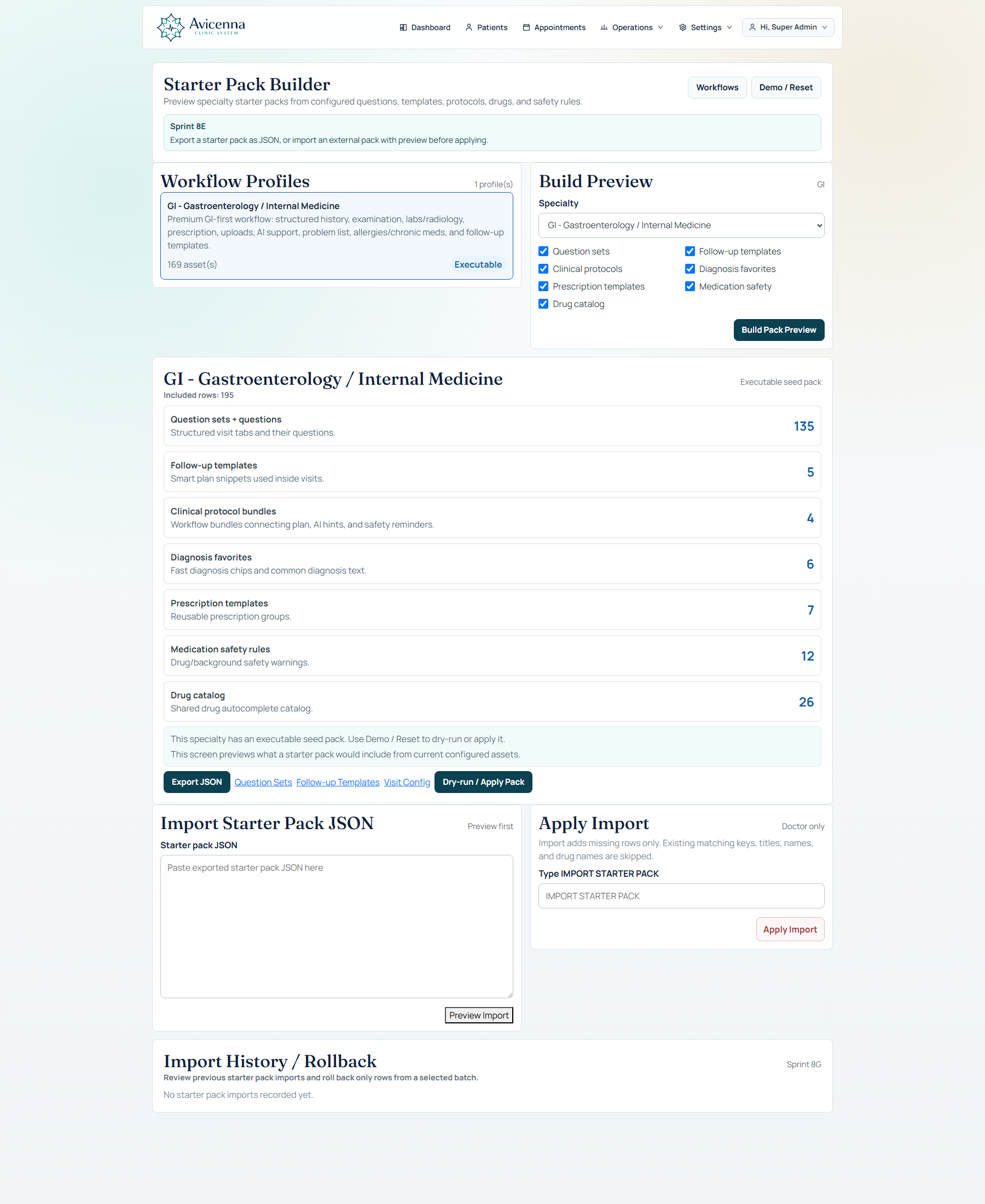
Starter packs turn setup into a reusable deployment asset
This screenshot proves repeatability. Once a specialty is modeled well, the platform can package that setup for preview, import, reuse, and guided rollout instead of rebuilding the structure manually every time.
How this is presented in the product story
This page helps explain why the product can start strongly with one specialty and still be credible for broader clinical rollout.
Start with a flagship
GI can be shown as the mature, deeply modeled workflow that proves clinical seriousness.
Expand without rewriting
Other specialties can be introduced through setup layers instead of custom code forks for every clinic.
Improve demo credibility
Showing specialty-aware setup makes the product feel intentional and scalable, not narrowly hardcoded.
Support center-level growth
Medical centers with multiple specialties can see how one platform can still respect clinical differences.