Demo narrative
The strongest way to present Avicenna Clinic is as a real clinic day, not a static feature list.
This page turns the product into a guided story. Instead of jumping between isolated modules, it shows how registration, appointments, visit execution, patient continuity, AI support, operations, and specialty setup connect together in one believable platform flow.
A six-step product demo that feels like a live clinic
Use this structure when presenting the software to a doctor, clinic owner, or medical center manager.
1
Search the patient database first
Show that the assistant does not need to guess where to start. Patient search is fast, duplicate-aware, and built for real front-desk speed.
- Search by name, code, or phone
- Highlight duplicate handling
- Show assistant-friendly workflow path
2
Book the appointment with clinic context
Move naturally into appointments, day queue, doctor assignment, branch assignment, visit type, and booking rules.
- Show calendar and queue depth
- Mention reminders and waitlist
- Frame operations as built into the product
3
Open the visit and stay on one screen
This is the emotional center of the demo. The doctor sees diagnosis, notes, structured tabs, uploads, speech, AI readiness, and save actions in one working surface.
- Diagnosis, notes, treatment notes, plan
- History, examination, labs, radiology, uploads, questions
- Quick actions and visit summary printing
4
Apply clinical helpers only where they help
Show follow-up templates, protocol bundles, favorites, and speech tools as accelerators that support the doctor without taking control away.
- Follow-up smart template
- Clinical protocol bundle
- Speech dictation and conversation capture
5
Generate AI only after the case is real
Frame AI as a doctor-reviewed drafting layer that works from structured visit data, uploads, readiness cues, and external import options.
- Provider-aware AI support
- Image-aware readiness and confidence labels
- External AI export/import flexibility
6
End in the patient profile, not in a dead note
Finish by proving that the saved visit becomes lasting clinical memory through timeline, problem list, uploads, AI history, and print/share outputs.
- Patient profile and timeline continuity
- Problem list and background memory
- Print/share outputs for doctor communication
The screens that carry the live demo
These are the practical pages that carry the demo. Together they prove front-desk realism, doctor workflow depth, presentation readiness, branding control, and specialty rollout credibility.
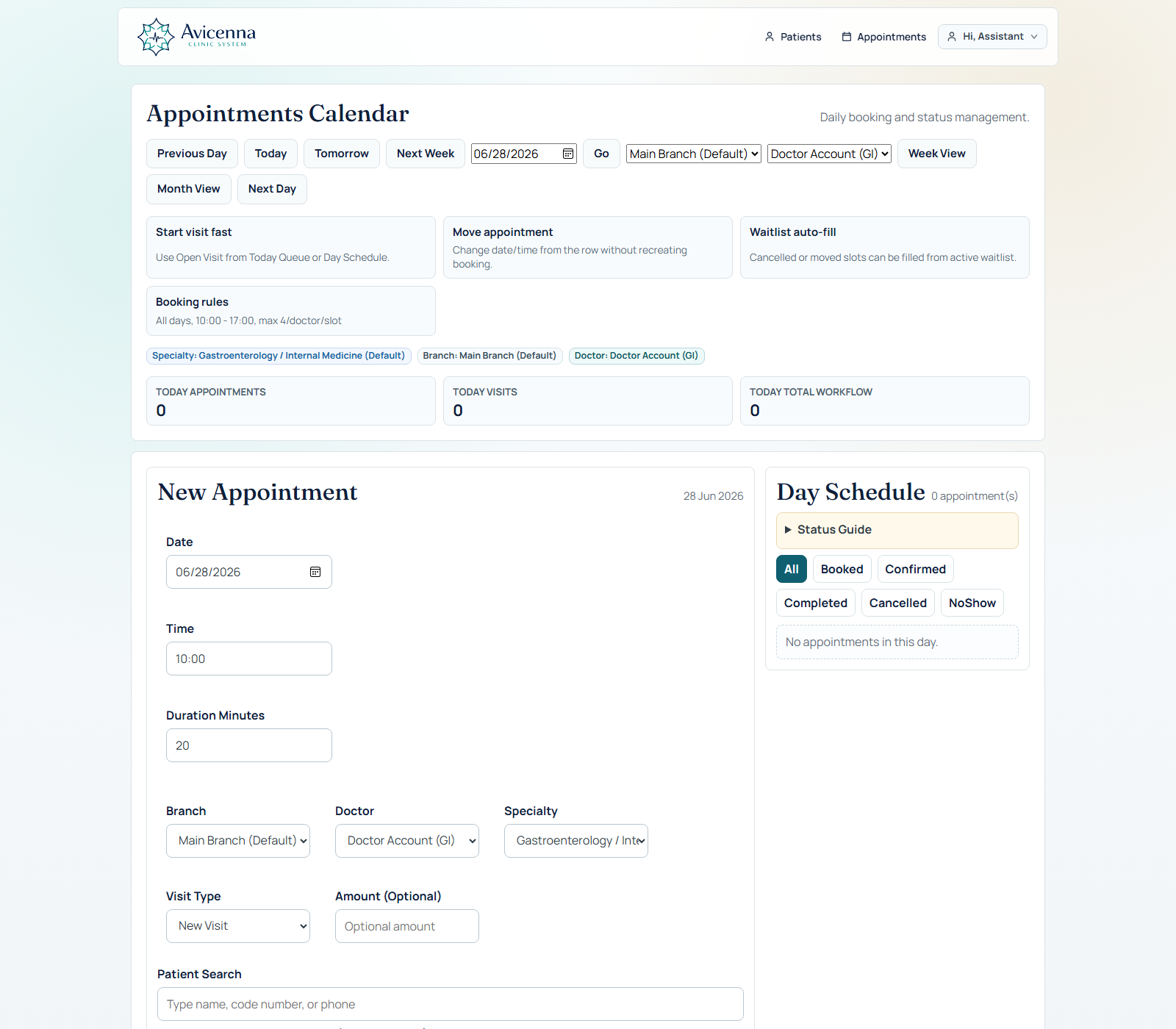
Day queue and appointment entry
This is the best opening screen for many demos. It feels immediately real to assistants and clinic owners because patient search, booking, queue status, and doctor handoff all live on one operational surface.
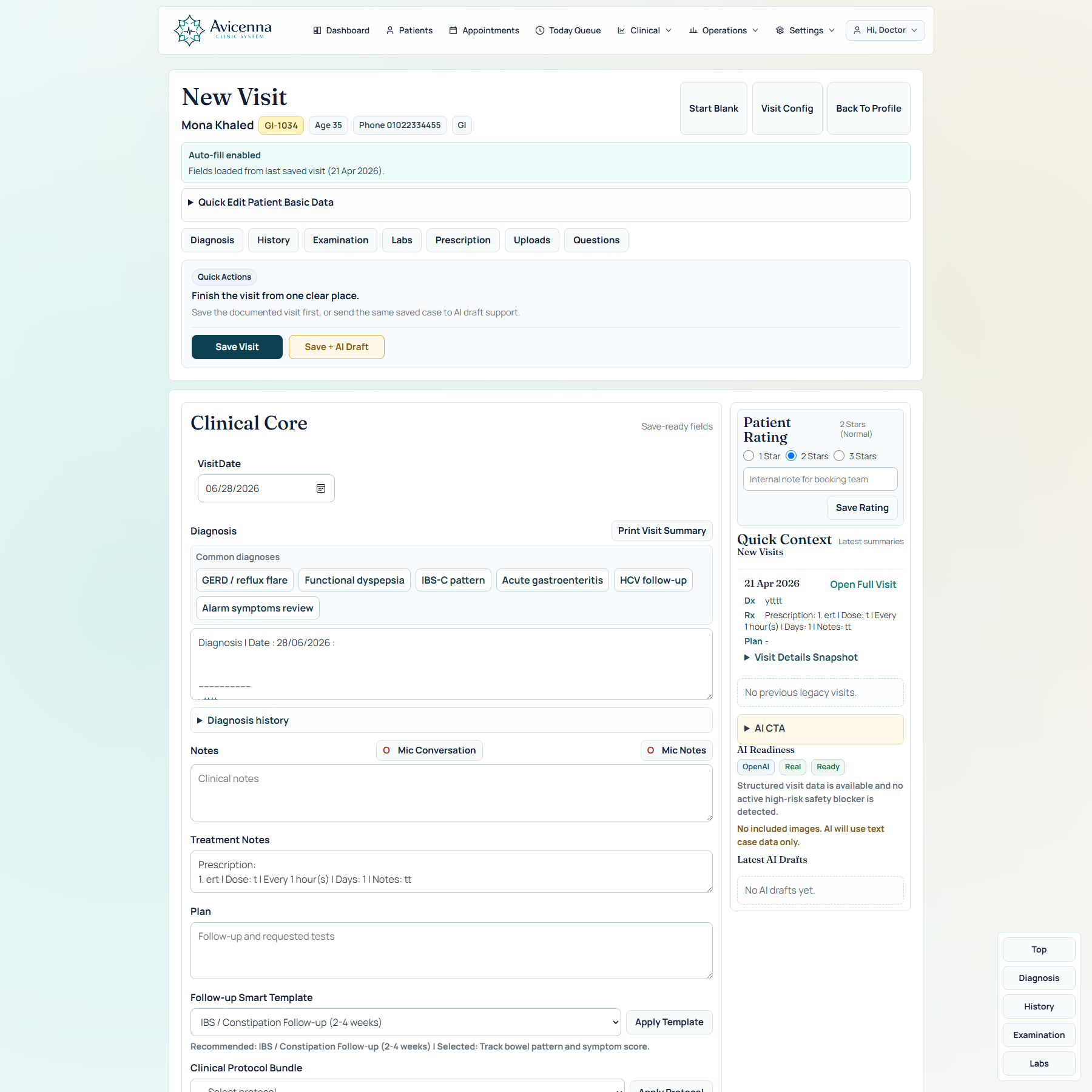
Doctor visit workspace
This is where the clinical value lands. Diagnosis, questions, uploads, templates, speech, AI, and quick actions make the product feel like a full doctor workspace rather than a simple note form.
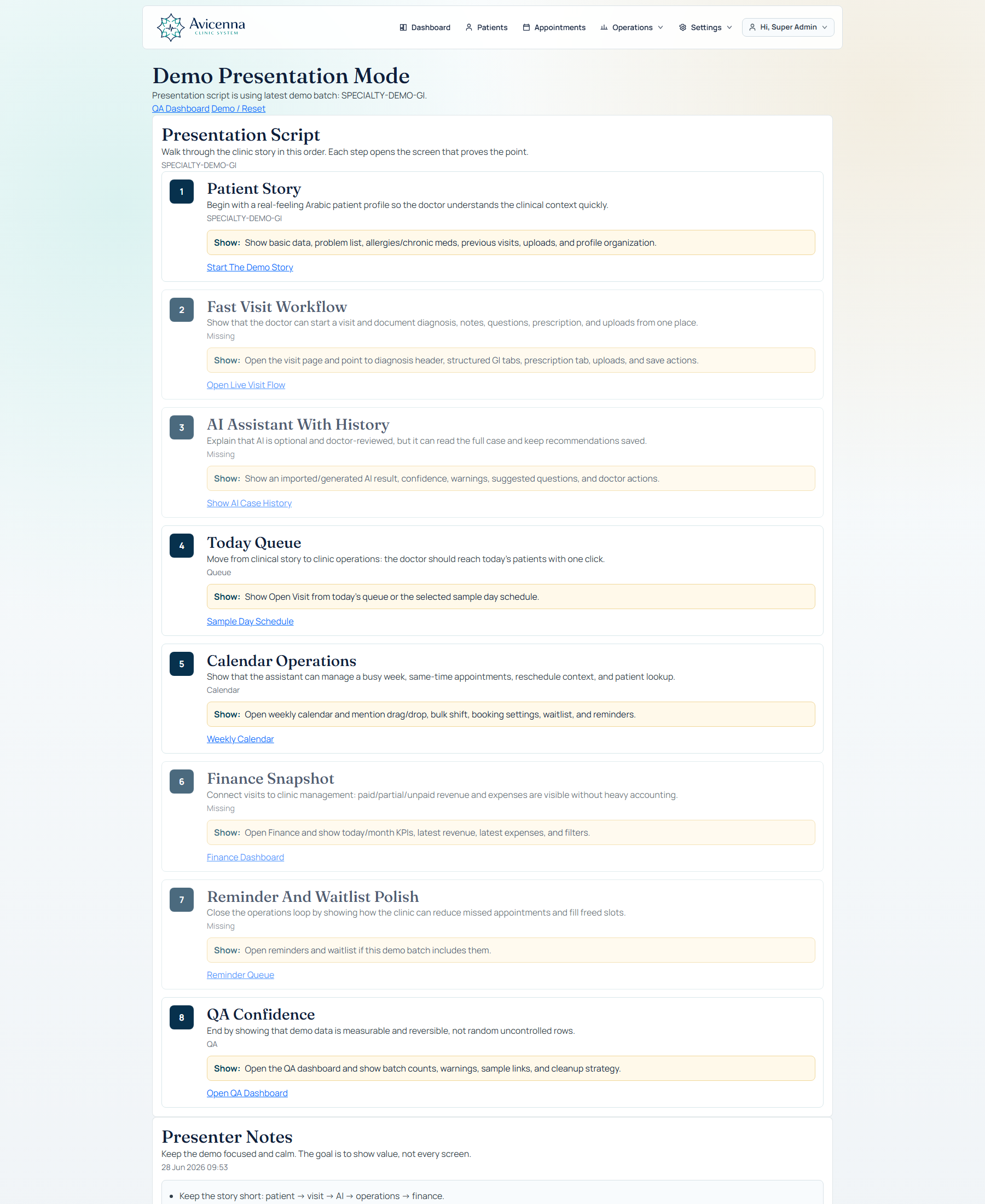
Guided demo presentation mode
This screenshot proves the story can be guided, not improvised. Presentation mode gives sales and onboarding conversations a clean sequence, so the product is shown as one coherent clinic day instead of disconnected modules.
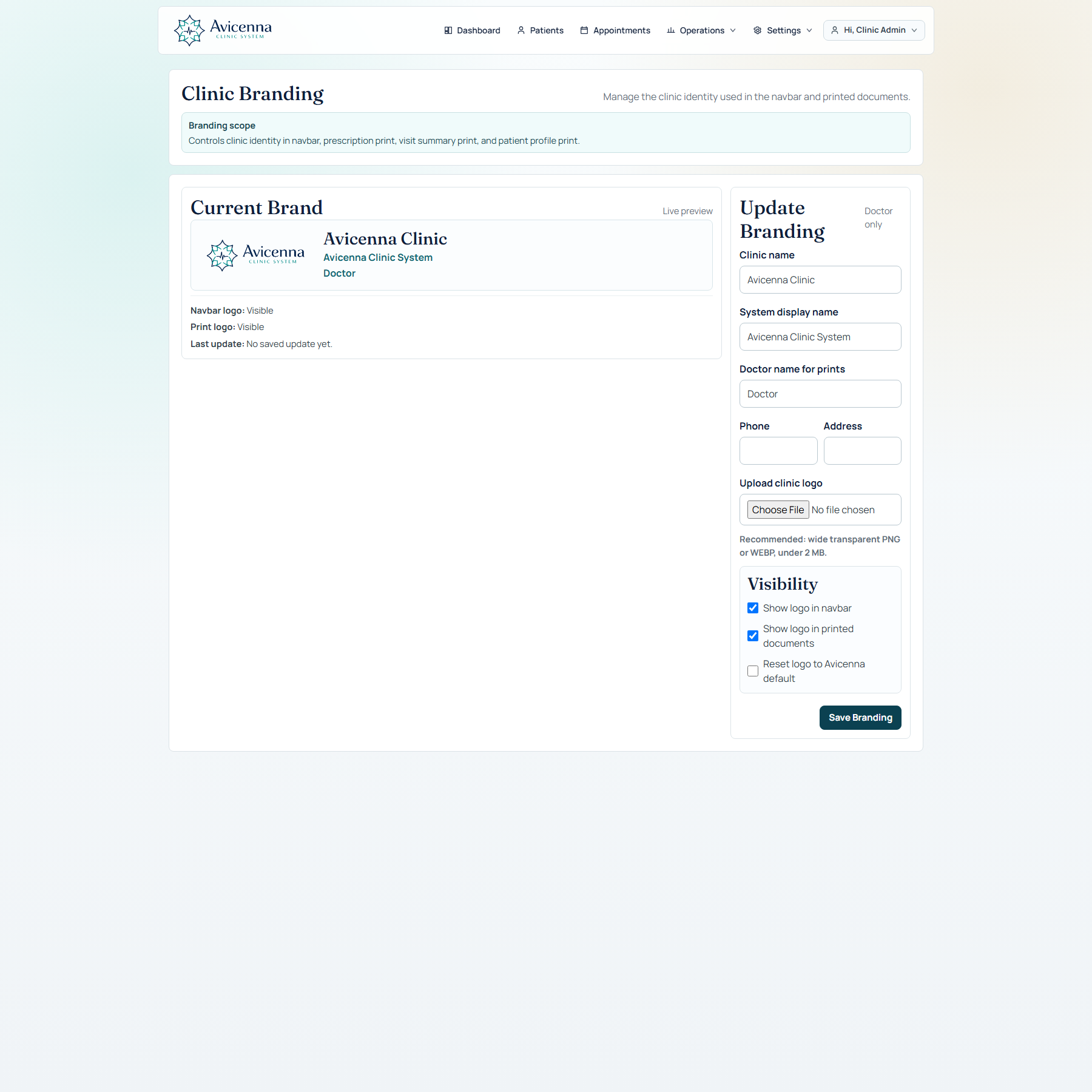
Branding can be adjusted before the meeting
This helps the demo feel personal. Branding and print identity can be prepared from a real setup screen so the walkthrough feels tailored to the clinic in front of you instead of generic.
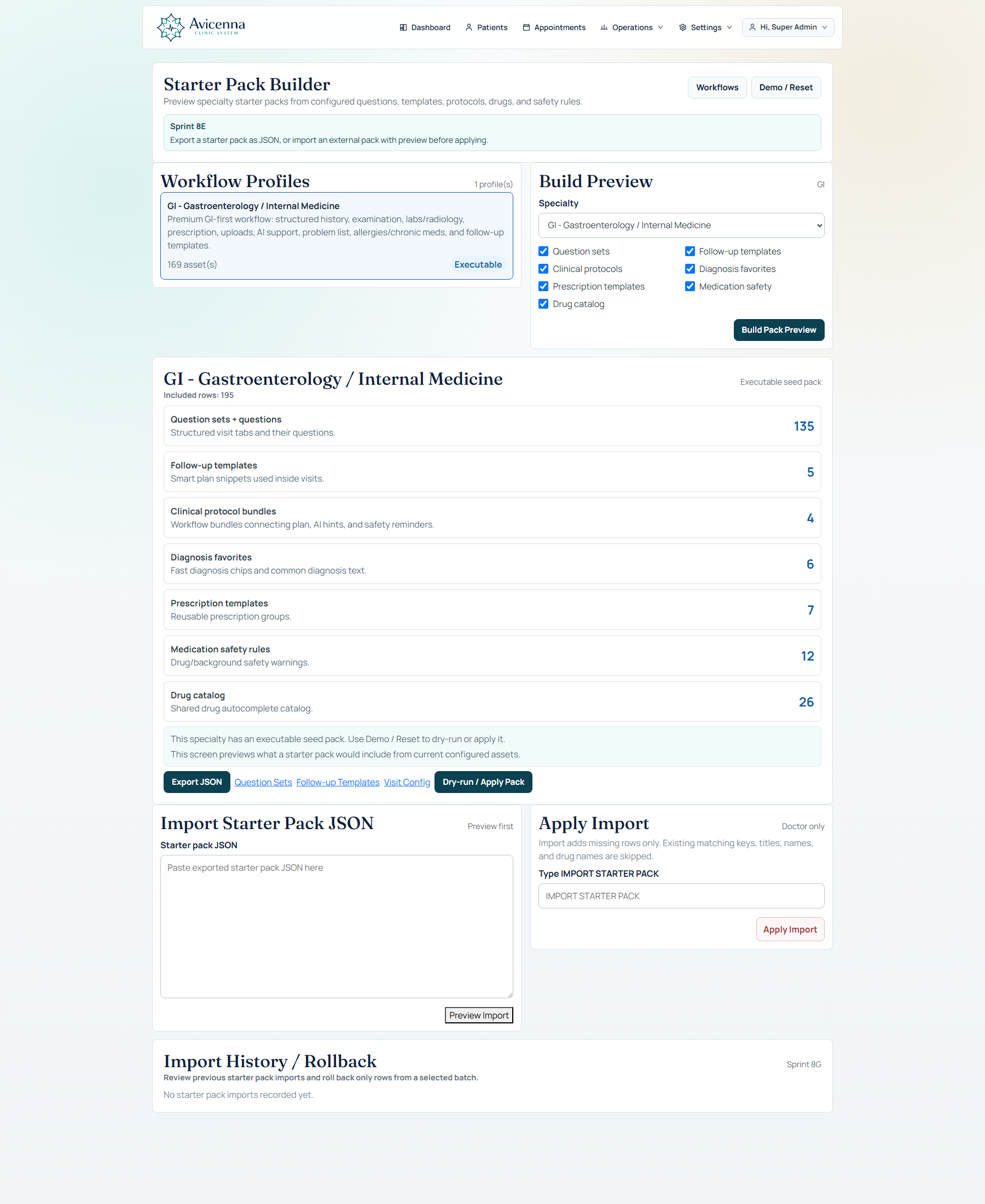
Starter packs help tell the specialty rollout story
This screenshot lets the demo move from “one good workflow” to “repeatable rollout.” It proves the product can launch and reuse specialty setup instead of staying locked to one configuration.
What to emphasize for different audiences
The same product can be positioned differently depending on who is watching the demo.
For doctors
Focus on speed, one visit workspace, structured questions, patient profile continuity, speech, and AI under clinical control.
For clinic owners
Focus on appointments, queue, finance, doctor assignment, branch structure, and the product's ability to scale.
For medical centers
Focus on specialty-aware setup, starter packs, governance, branding, and the path from one clinic to a broader center.
For technical buyers
Focus on modular setup, AI provider flexibility, structured imports/exports, role boundaries, and operational depth.
Use one story, then open the page that proves it.
Start with patient search and booking, prove the visit workspace, return to the profile, then expand into operations and specialty setup. That sequence makes Avicenna Clinic feel coherent, capable, and ready for real use.