
Platform scope
The platform layer that turns one visit workflow into full clinic software.
Avicenna Clinic brings clinical documentation, patient memory, AI support, operations, finance, specialty setup, governance, and doctor/branch structure into one connected system. This page is where the product stops looking like a small tool and starts reading like a serious clinic platform.
The product is organized in six product layers
Each layer supports a different kind of clinic value. Together, they make the platform look and behave like a mature software product rather than a collection of pages.
Patient access and registration
Fast patient search, duplicate awareness, assistant-friendly registration, branch-aware booking entry, and direct movement into the doctor day.
- Search-first patient lookup
- Quick new patient flow
- Duplicate cleanup and merge review
Clinical visit workspace
The visit page acts as the core working surface for diagnosis, notes, treatment, plan, structured questions, uploads, speech, AI, and safety review.
- Configurable specialty tabs
- Templates and protocol bundles
- Quick save and AI actions
Patient memory and profile
The profile page preserves the story after the visit: timeline, problems, allergies, PMH, uploads, AI drafts, and print/share output.
- Clinical summary timeline
- Problem list and background
- Export/import AI-ready case views
AI and speech support
AI recommendation, external AI import, image-aware readiness, speech dictation, and conversation transcription live inside the workflow instead of around it.
- Provider-aware AI configuration
- Confidence and safety cues
- Speech provider switching
Operations and money
Appointments, waitlist, finance, billing, reminder settings, dynamic types, and day operations keep the clinic manageable without separate tools.
- Today queue and weekly calendar
- Billing, expenses, income
- Reminder and waitlist tooling
Governance and setup
Roles, branch settings, doctor profiles, specialty starter packs, demo tooling, branding, and setup wizard make rollout and scale practical.
- Super admin / doctor / assistant scopes
- Specialty setup and import/export
- Audit, backup, demo mode
Live screens that prove the platform is real
When this page is shown in a product conversation, these screens anchor the story in the actual product. Each one proves a different layer: continuity, doctor workflow, financial control, branch structure, and doctor assignment.
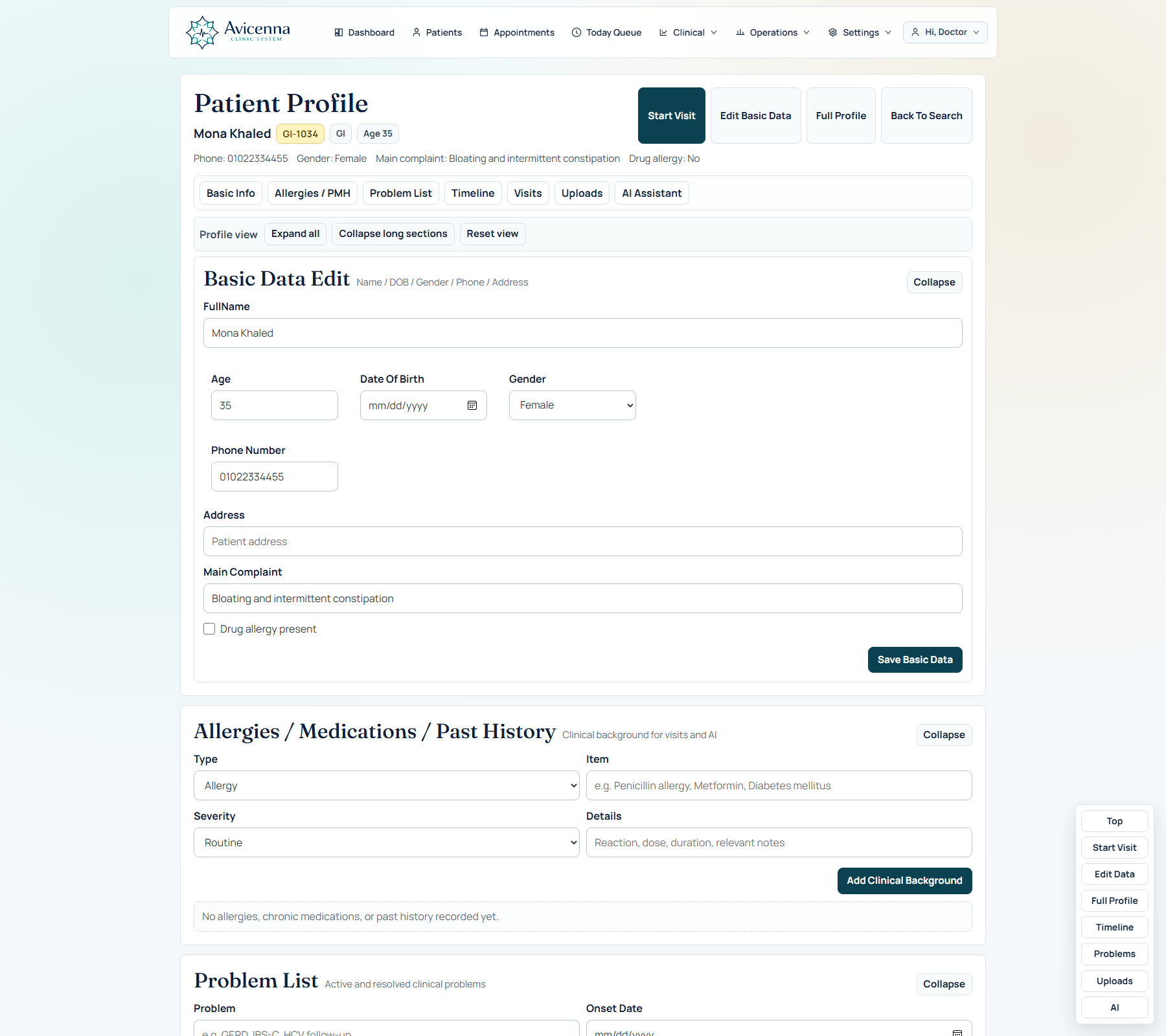
Patient profile continuity
This screenshot proves long-term continuity. Visits, problems, uploads, and AI memory all land in one profile layer that stays readable over time instead of fragmenting across old notes.
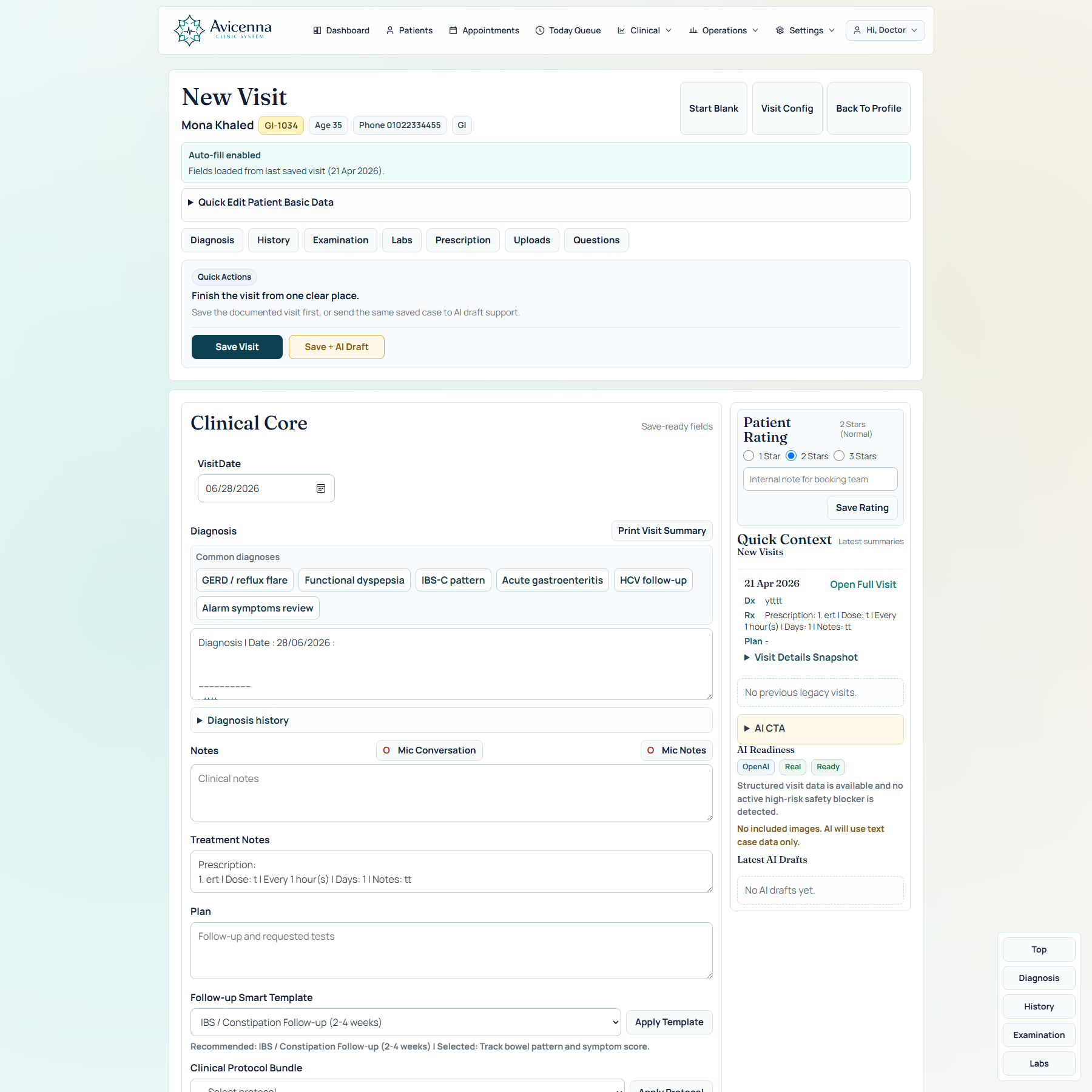
Visit workspace depth
This screen proves that the platform has a serious clinical center. Diagnosis, structured tabs, speech, uploads, AI, quick actions, and specialty-aware helpers all coexist in one doctor-facing workspace.
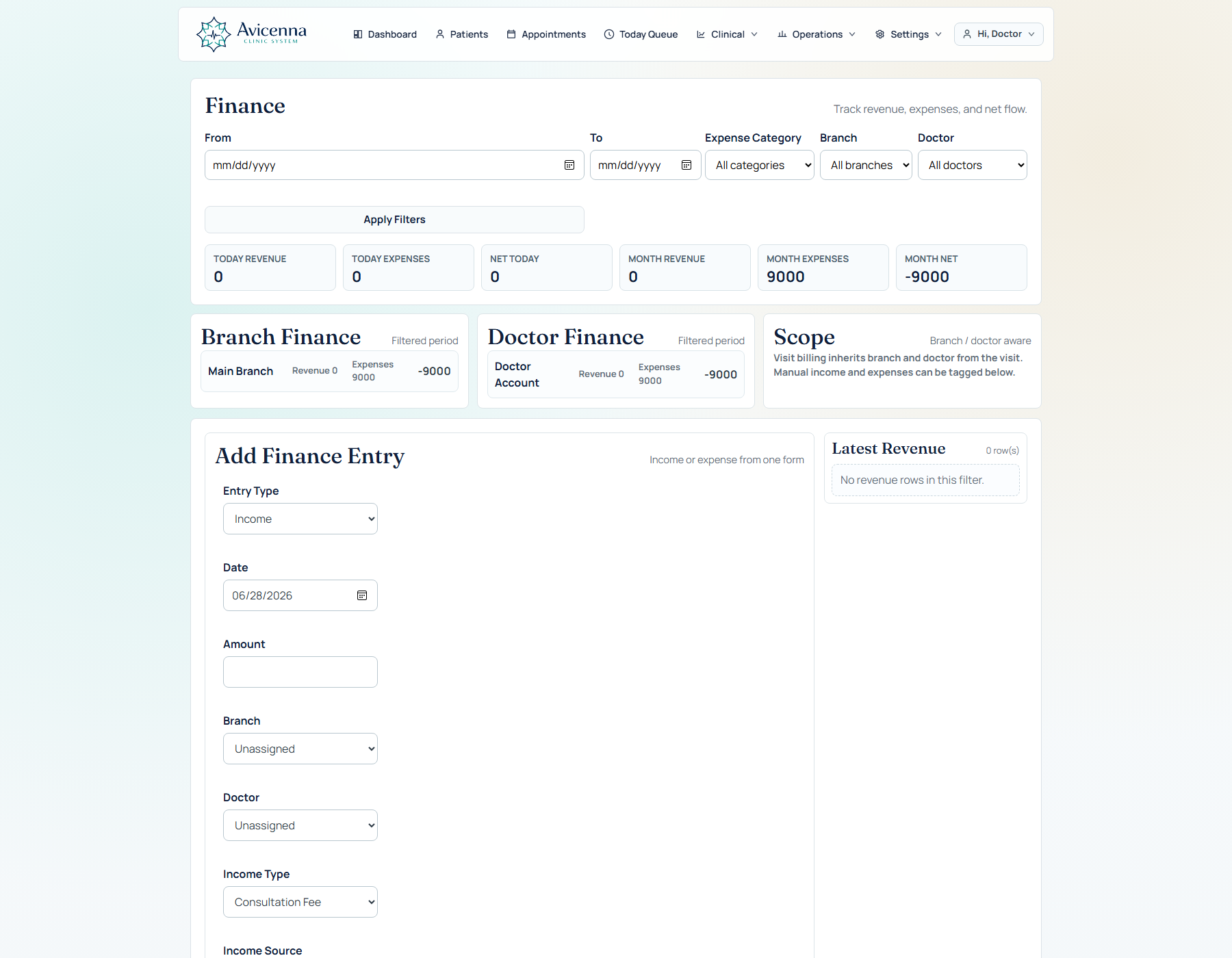
Finance and clinic control
This is the business proof screen. Money movement and operational visibility are already inside the platform, which helps position it as clinic software rather than only a documentation tool.
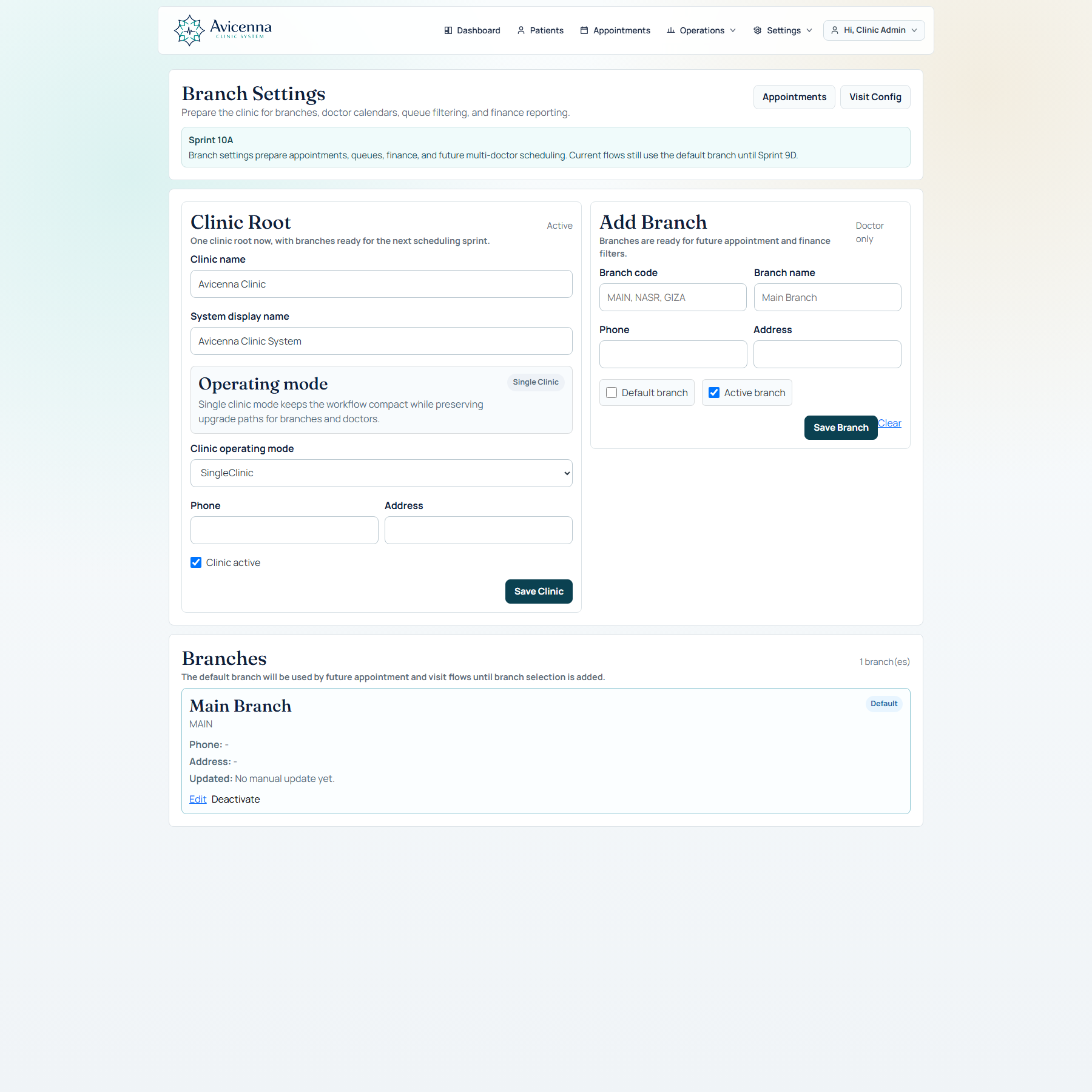
Branch-aware setup is already part of the platform
This screen proves deployment readiness. Clinic structure is not an afterthought; branch settings already support default behavior, addresses, activation, and future routing logic.
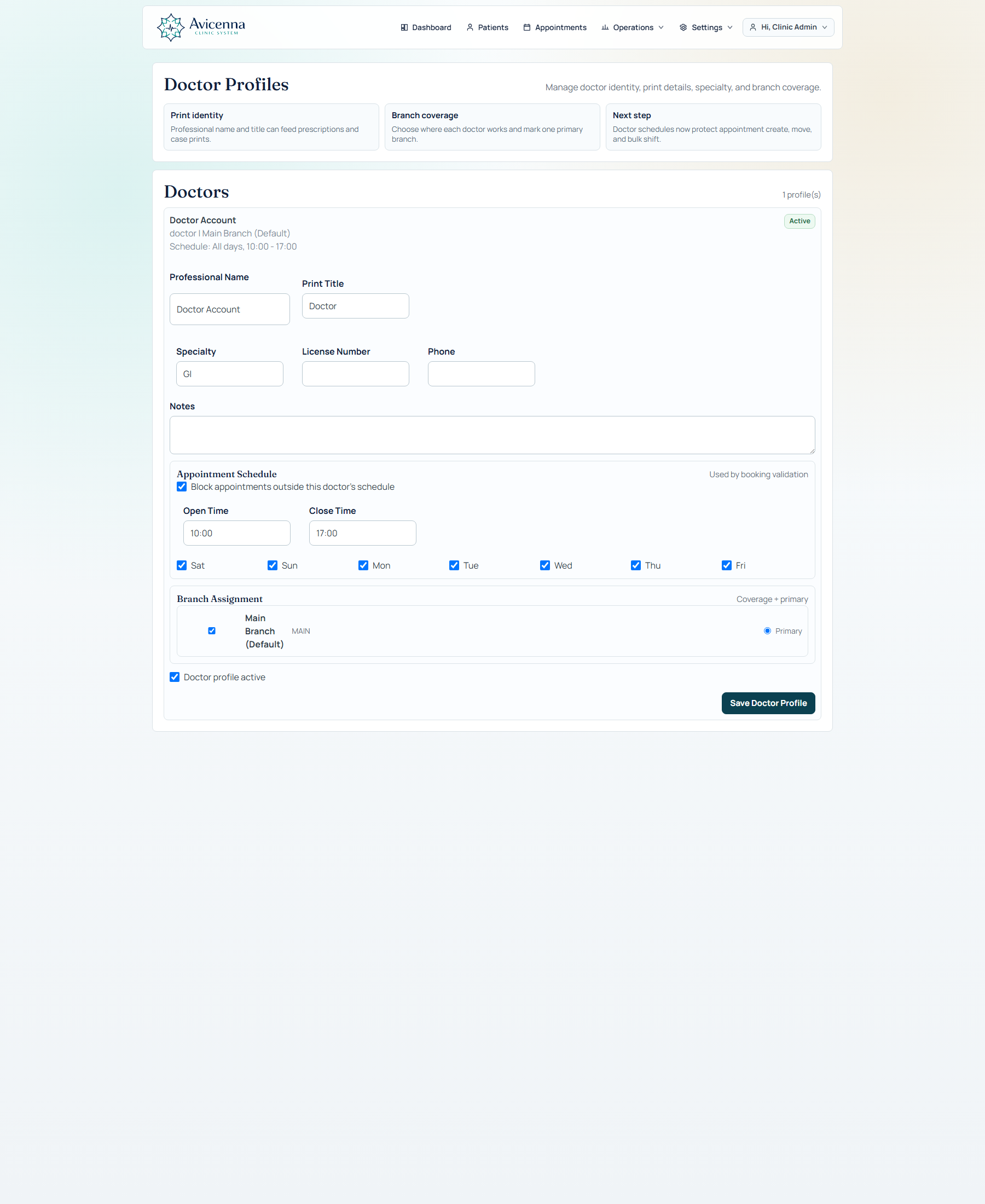
Doctor profiles carry operational responsibility
This one proves organizational depth. Doctor identity, branches, specialty, and working schedule live in the same platform, which matters when the buyer is evaluating growth from one doctor to a managed center.
What makes this feel bigger than a simple EMR
The platform can be explained through product capabilities, not just feature bullets. These are the differentiators that help a doctor or clinic owner feel the system has shape and depth.
Specialty-aware workflow
Question sets, starter templates, specialty packs, protocol bundles, and workflow profiles let the visit surface change with specialty intent instead of staying generic.
Persistent clinical memory
Visits do not disappear after save. They become visible context in patient profile, timeline, quick context, print/share, AI history, and follow-up continuity.
Operational continuity
Booking, queue, visit, billing, follow-up, reminders, and finance connect together so the clinic is not forced to maintain shadow workflows.
AI under doctor control
AI is introduced as a drafting and support system with provider choice, safety boundaries, image readiness, and external import rather than as uncontrolled automation.
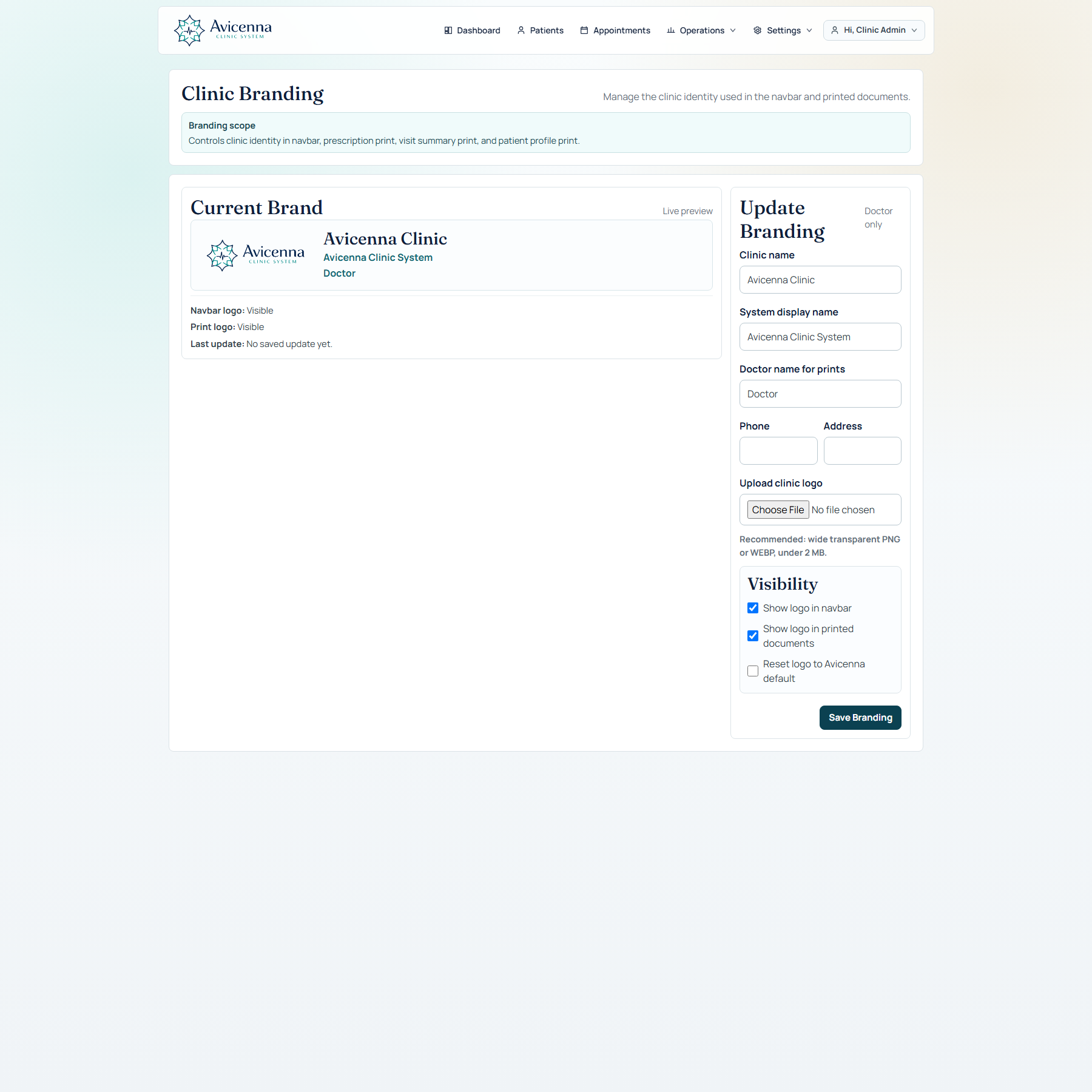
Branding is controlled like a product, not patched like a template
This is the polish-and-rollout screen. Clinic identity, print identity, and logo visibility can be managed from a dedicated branding surface, helping the product feel deployment-ready rather than like an internal prototype.
How the platform is usually presented in a demo
These product storylines help the homepage, pitch, and live product walk-through stay coherent.
Doctor-first story
Open the visit workspace, document quickly, move across structured tabs, use AI only where useful, and finish in one save path.
Patient continuity story
Show how a saved visit instantly enriches timeline, profile memory, print output, and future context.
Center operations story
Move from appointments and queue into finance, branches, doctor assignment, and permissions to show that the product handles the clinic, not only the note.